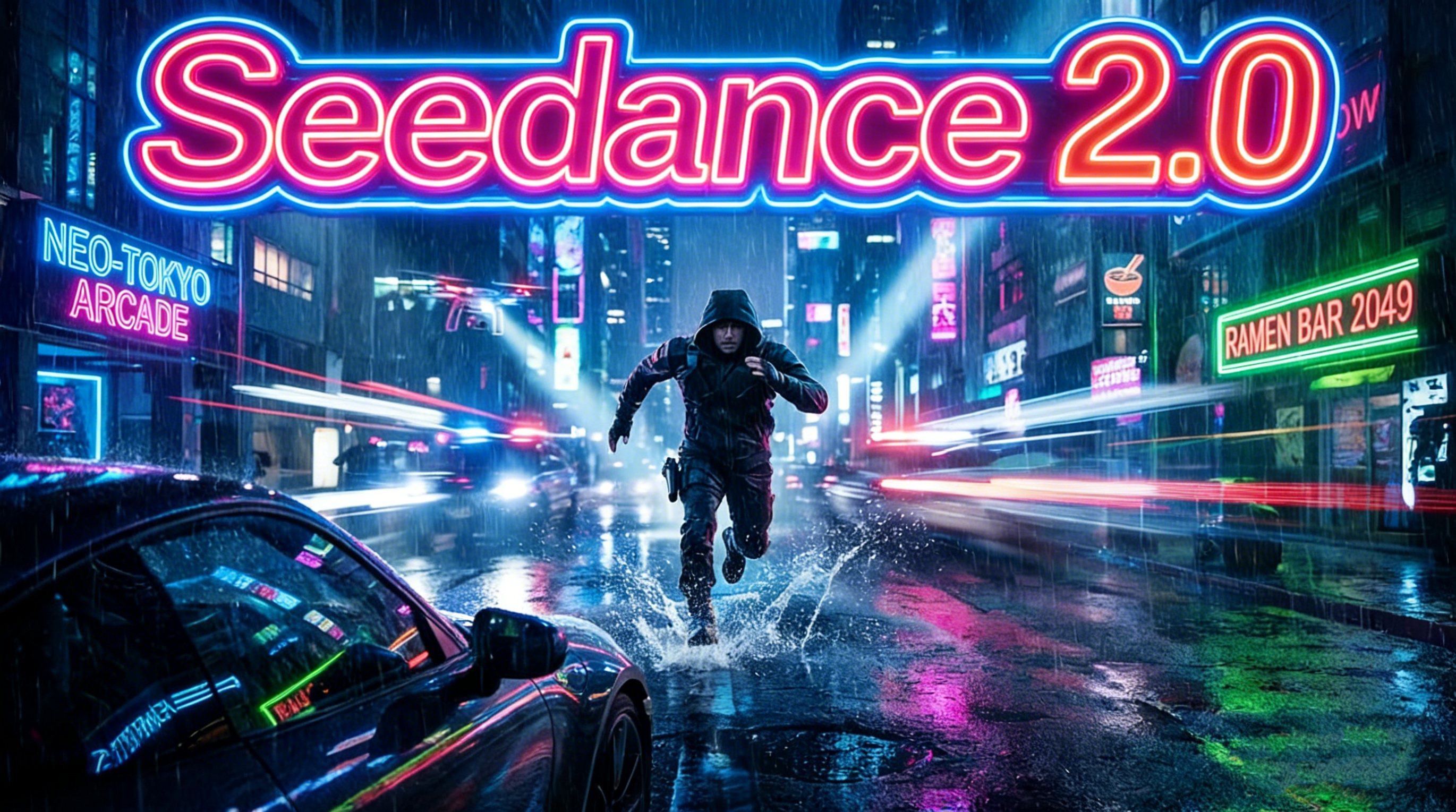
If your Seedance 2.0 videos still look like generic AI clips, the problem likely isn’t your concept — it’s your camera prompt. Most users type a scene description and stop there. Professional-looking AI video requires one more layer: explicit cinematography instructions that tell the model how to move, where to look, and what emotional register to hold. This Seedance 2.0 camera prompt guide gives you 80 ready-to-use directives, organized by category, so you can start generating cinematic footage right away.
Why Camera Prompts Are the Missing Layer in Seedance 2.0
Seedance 2.0 is one of the most capable AI video generation models available today, with strong temporal consistency and realistic motion rendering. But the model responds to instruction density — the more specific and structured your prompt, the more controlled and cinematic your output.
Generic prompts produce generic results. When you write “a woman walking through a rainy street,” the model makes all the cinematography decisions for you. When you write “a woman walking through a rainy street — tracking shot, low angle, lens flares streak across the frame as she passes,” you’ve stepped into the director’s chair.
Camera prompts work by layering four types of information:
Motion type — how the camera physically moves
Speed and rhythm — the tempo of that movement
Angle and framing — where the lens is positioned relative to the subject
Emotional intention — what psychological effect the shot creates
The 80 prompts below are organized into four master categories that professional cinematographers use: Foundation Movement, Emotional Expression, Action & Impact, and Creative Special Effects.
Category 1: Foundation Movement Shots (Making the Frame Come Alive)
These are the bread-and-butter of cinematic language. Mastering these in your Seedance 2.0 prompts will immediately separate your output from amateur-looking clips.
Push & Pull — Controlling Emotional Intensity
1. Slow Push-In Used to focus attention or build tension gradually.
Prompt: The camera slowly pushes in toward the subject.
2. Fast Pull-Out Instant reveal of the subject’s environment; creates contrast between intimacy and scale.
Prompt: The camera rapidly pulls back from a close-up to a wide shot.
3. Macro Slow Push Extreme slow drift toward a tiny detail — ideal for suspense.
Prompt: Macro lens, extremely slow push toward a fine surface detail.
4. Retreating Reveal The camera moves backward to gradually expose a wider environment; perfect for opening sequences.
Prompt: The camera retreats, progressively revealing the expansive surrounding scene.
5. Intimate Push-In Drifts toward a character’s face to close psychological distance.
Prompt: The camera glides smoothly toward the character’s face.
6. Distancing Pull-Out Slowly backs away from a character to convey detachment or finality.
Prompt: The camera slowly retreats from the character, increasing distance.
Movement Paths — Directing the Eye
7. Lateral Tracking Shot Follows a moving subject horizontally, revealing a sequence of elements.
Prompt: The camera pans horizontally, tracking the moving subject.
8. Vertical Rise/Descent Moves up or down to capture vertical scale or transitions between spaces.
Prompt: The camera rises vertically / descends vertically.
9. Diagonal Movement A diagonal camera path that introduces visual instability and tension.
Prompt: The camera moves diagonally across the frame.
10. Arc Shot The camera circles halfway around the subject to show three-dimensionality.
Prompt: The camera performs a semicircular arc around the subject.
11. Parabolic Movement A curved trajectory that feels dynamic and kinetic.
Prompt: The camera moves in a parabolic arc over the subject.
12. Z-Axis Depth Shot A straight forward or backward move emphasizing spatial depth.
Prompt: The camera moves forward/backward along the z-axis, emphasizing deep focus.
Specialty Moves — Adding Texture and Realism
13. Handheld Breathing Mimics a camera operator’s natural micro-movements for a documentary feel.
Prompt: Handheld camera style with subtle, authentic breathing movement.
14. Rail Slide Ultra-smooth lateral glide, as if on a perfectly calibrated dolly track.
Prompt: Dolly shot, perfectly smooth and level horizontal movement.
15. 360° Rotation Full circle around the subject — creates disorientation or complete observation.
Prompt: The camera completes a full 360-degree rotation around the central subject.
16. Aerial Dive A swift downward plunge from above — high-pressure, dramatic entry.
Prompt: The camera dives rapidly downward from a high aerial angle.
17. Rising Tilt Starts low and sweeps upward — classic for heroic introductions.
Prompt: Low-angle camera rises quickly with an upward tilt.
18. Weave Shot The camera threads through multiple foreground obstacles fluidly.
Prompt: The camera weaves dynamically through multiple foreground obstructions.
Speed Control — Pacing the Emotion
19. Progressive Acceleration The camera movement gradually speeds up, building emotional momentum.
Prompt: Camera movement speed progressively increases.
20. Deceleration Freeze Movement slows to a complete stop, locking onto a moment of significance.
Prompt: The camera smoothly decelerates to a complete standstill.
21. Hard Stop The camera cuts its motion abruptly — creates a strong punctuation effect.
Prompt: Camera moves at speed then stops abruptly — frame locks.
22. Spiral Dive Rotates while descending simultaneously — maximum disorientation.
Prompt: The camera simultaneously spirals and dives downward.
Transitions
23. Whip Pan An ultra-fast pan with motion blur used to cut between scenes.
Prompt: Fast whip pan with strong motion blur transition.
24. Occlusion Cut A foreground object momentarily blocks the lens, masking a scene change.
Prompt: The camera moves behind a foreground object; seamless edit during occlusion.
25. Match Cut Two shots share a geometric or compositional similarity for a visual bridge.
Prompt: Match cut using similar geometric shapes to connect two scenes.
26. POV Shot The camera becomes the character’s eyes.
Prompt: First-person POV shot simulating the character’s eye movement.
Composition Techniques
27. Dutch Angle The frame is intentionally tilted to signal unease or psychological tension.
Prompt: Dutch angle composition — camera tilted off horizontal axis.
28. Split Screen The frame is divided to show two simultaneous perspectives.
Prompt: Split-screen effect showing two viewpoints simultaneously.
29. Picture-in-Picture A secondary frame embedded within the primary shot.
Prompt: Picture-in-picture effect.
30. Lens Breathing A subtle, rhythmic shift in focal length mimicking natural respiration.
Prompt: Subtle lens breathing effect — focal length shifts in a gentle periodic rhythm.
Category 2: Emotional Expression Shots (Translating Inner States to Image)
This is where Seedance 2.0 camera prompts become genuinely powerful — using cinematography to make the audience feel what the character feels.
Micro-Emotion Close-Ups
31. Trembling Close-Up Extreme magnification of shaking hands or lips.
Prompt: Extreme close-up of trembling [body part] with high-frequency micro-vibration.
32. Pupil Dilation Near-contact lens focus on a dilating eye.
Prompt: Extreme macro close-up of the eye — pupil expanding.
33. Tear Tracking A macro follow shot that stays with a single tear as it falls.
Prompt: Macro tracking shot following a single tear as it descends.
34. Sustained Gaze The camera holds perfectly still on a character for an extended duration.
Prompt: Long take, completely static — locked onto the character’s gaze.
35. Breath Sync The camera bobs in rhythm with a character’s labored breathing.
Prompt: Camera rises and falls in sync with the character’s heavy breathing.
Psychological States
36. Vertigo Spin Continuous rotation conveying dizziness or mental chaos.
Prompt: Vertigo effect — continuous camera rotation.
37. Rack Focus (Blur to Sharp) Focus transitions from soft to crisp — represents awakening or clarity.
Prompt: Focus transitions from blurred to sharp and clear.
38. Rack Focus (Sharp to Blur) Clarity dissolves into softness — signals loss of consciousness or confusion.
Prompt: Image gradually loses focus, transitioning to complete blur.
39. Tilt Into Disorientation The frame slowly tilts further and further — psychological breakdown.
Prompt: Dynamic Dutch tilt — angle progressively widens, deepening imbalance.
40. Erratic Shake Violent, irregular motion — conveys physical impact or evasion.
Prompt: Irregular violent camera shake simulating evasive movement.
Relational Tension
41. Embrace Orbit A smooth circle around two figures in an embrace.
Prompt: Camera smoothly orbits two characters mid-embrace.
42. Argument Cutting Hard cuts between two faces in close-up during a confrontation.
Prompt: Rapid cutting between the two characters’ faces.
43. Isolation Wide A tiny figure placed inside a vast, empty environment.
Prompt: Ultra-wide angle — character appears small inside a vast, empty space.
44. Dominance Overhead Shot from directly above — creates a feeling of being watched or controlled.
Prompt: High-angle overhead shot looking straight down at the character.
45. Vulnerability Low Angle Shot from below — conveys weakness, awe, or helplessness.
Prompt: Low-angle tilt upward toward the character — emphasizes vulnerability.
Memory & Time
46. Dissolve Overlap Two semi-transparent images crossfade slowly over each other.
Prompt: Cross-dissolve transition — two scenes overlap and blend.
47. Flash Montage Rapid fragmented cuts — flickering images, broken memory.
Prompt: Fast montage cutting — fragmented, flickering memory sequences.
48. Single-Take Suffocation One continuous unbroken shot that accumulates claustrophobic pressure.
Prompt: Single continuous long take — uncut, building a sense of suppression.
Group Reaction
49. Rapid Zoom Sweep The camera races between multiple faces in quick succession.
Prompt: Rapid push-pull zoom across multiple characters’ faces.
Category 3: Action & Impact Shots (Building Kinetic Energy)
These Seedance 2.0 prompts are engineered for maximum visceral impact in action sequences.
Covert Movement
50. Stealth Creep The camera moves with near-imperceptible slowness.
Prompt: Extremely slow, concealed camera tracking movement.
51. Sniper POV Through-scope framing with crosshair overlay and breathing movement.
Prompt: Sniper scope perspective with crosshair overlay and breathing oscillation.
Chase Sequences
52. Vehicle Chase Follows a car at speed with heavy bouncing and motion blur.
Prompt: Vehicular chase tracking shot with intense vertical bounce and motion blur.
53. Rooftop Parkour The camera height varies dynamically as the subject leaps and descends.
Prompt: Parkour tracking — camera altitude shifts with each jump and landing.
54. Sprint Side Track High-speed lateral tracking of a running figure.
Prompt: High-speed lateral pan tracking a sprinting character.
55. Climb Tilt Low-angle follow shot as the subject climbs upward.
Prompt: Low-angle upward tracking shot following a character ascending.
Combat Shots
56. Close-Combat Follow The camera shakes violently in sync with punches and movements.
Prompt: Close-range combat tracking — camera moves aggressively with each strike.
57. Kick Dive The camera is “mounted” on a kicking leg, diving toward the target.
Prompt: Camera follows the kick, diving rapidly toward the target.
58. Roll-and-Dodge Ground-level follow through a tumbling roll.
Prompt: Ground-level camera tracking a character’s rolling evasion.
59. Blade Whip An extreme-speed camera whip that follows the arc of a weapon.
Prompt: Ultra-fast camera whip following the trajectory of a swinging weapon.
60. Impact Jolt A single hard camera jolt at the exact moment of weapon clash.
Prompt: A single violent camera jolt at the instant of weapon impact.
61. Rotation Attack The camera rotates in sync with a spinning attack.
Prompt: Camera rotates in sync with the character’s spinning strike.
62. Synchronized Strike A wider shot capturing two characters releasing abilities simultaneously.
Prompt: Wide tracking shot recording two characters simultaneously unleashing abilities.
Special Actions
63. Vault Follow The camera accompanies the subject over an obstacle.
Prompt: Camera simulates leaping over an obstacle alongside the character.
64. Breach Entry The camera thrusts forward as if smashing through a door.
Prompt: Camera forcefully pushes forward, penetrating a breaking door.
65. Injured Stagger An unstable, stumbling camera walk.
Prompt: Camera sways unsteadily, simulating an injured, staggering gait.
66. Hang-Time Rise The camera drifts upward slowly on a jump — emphasizing suspension.
Prompt: Camera slowly rises following a jump — emphasizing hang time.
Special Effects Action
67. Underwater Slow Motion Movement slowed as if through high water resistance.
Prompt: Underwater slow motion with high-resistance movement feel.
68. Magic Blast Pull-Out From a close-up of glowing hands, the camera rockets backward to reveal an explosion.
Prompt: Camera pulls back at extreme speed from a hand close-up to reveal an explosion.
69. Transformation Orbit A rapid circular orbit documenting a character’s transformation.
Prompt: Rapid orbit tracking a character’s mid-transformation.
70. Ultimate Ability Rise The camera launches upward and backward as the signature move is released.
Prompt: Camera rapidly retreats upward to reveal the full scope of an ultimate ability.
71. Victory Circle A slow, dignified 360° rotation around the triumphant hero.
Prompt: Slow 360-degree orbit around the victorious protagonist.
Environment Interaction
72. Shockwave Push An explosion’s pressure wave physically shoves the camera backward with a shake.
Prompt: Camera is forcibly pushed back by an explosion shockwave with violent shaking.
73. Free Fall Track The camera falls alongside the subject at equal velocity.
Prompt: Camera maintains pace with the subject during freefall.
74. Bullet Time The subject is frozen mid-air while the camera circles around them.
Prompt: Bullet time — subject suspended in mid-air, camera circles around the frozen moment.
Category 4: Creative Special Effects Shots (Signature Visual Moments)
Distortion Effects
75. Fisheye Warp The frame curves outward at the edges like a spherical lens.
Prompt: Fisheye lens effect — strong spherical distortion at frame edges.
76. Miniature Tilt-Shift Real environments appear to be scale models.
Prompt: Tilt-shift lens effect — creates a miniature toy model appearance.
77. X-Ray Vision The camera appears to see through skin to bones or internal structure.
Prompt: X-ray transparency effect — internal skeletal structure visible.
78. Wall Penetration The camera moves through a solid surface.
Prompt: Camera penetrates a solid wall to reveal the space beyond.
79. Thermal Imaging The frame resembles an infrared heat detection display.
Prompt: Thermal imaging visual — infrared heat distribution across the scene.
Time Manipulation
80. Time Reversal All motion runs perfectly backward.
Prompt: Time reversal effect — all motion trajectories run in reverse.
Bonus — Motion Trail Movement leaves semi-transparent afterimages.
Prompt: Motion trail — translucent afterimages persist behind the moving subject.
How to Stack These Prompts for Maximum Cinematic Effect
Single prompts are effective. Stacked prompts are cinematic. The formula for a high-impact Seedance 2.0 scene description is:
[Scene content] + [Camera movement prompt] + [Speed/rhythm prompt] + [Emotional/atmospheric prompt]
Example:
A soldier collapses in a burning field. Camera slowly retreats from the character. Movement smoothly decelerates to a complete standstill. Ultra-wide angle — character appears small inside a vast, empty burning landscape.
This single stacked prompt combines prompts #6 (Distancing Pull-Out), #20 (Deceleration Freeze), and #43 (Isolation Wide) into one cohesive shot with clear directorial intention.
Start by identifying the emotion you want the viewer to feel, then choose the movement type that produces that feeling, then add a speed modifier that controls the pacing.
A Note on Prompt Placement and Scene Structure
For best results in Seedance 2.0, place your camera prompt at the end of your scene description, not the beginning. The model processes scene context first, then applies the cinematography layer. A clearly comma-separated structure (scene, then camera instruction) consistently outperforms camera-first prompting.
Also consider the arc of your full video: open with a retreating reveal or aerial dive, build through tracking shots and push-ins, and close with a victory circle or sustained gaze. Treating your prompt sequence like a shot list rather than a single instruction is one of the fastest ways to elevate your output quality.
Final Thoughts
The difference between an AI video that looks generated and one that looks directed comes down to camera language. These 80 Seedance 2.0 camera prompts give you the vocabulary to move from “describe the scene” to “direct the film.” Whether you’re building emotional drama with a tear-tracking macro shot or delivering kinetic action with a blade whip and impact jolt, every prompt here has a specific job and a predictable result.
Save this guide as your reference sheet. The more fluent you become with these directives, the more precisely you can translate your creative vision into footage.