Wan 2.6 represents a major evolution in AI video generation. In the ongoing discussion of Wan 2.6 vs Wan 2.5, many creators are finding that this release is not just a small upgrade—it meaningfully improves reliability, consistency, and end-to-end workflow speed for real production use.
After testing both versions across common creator scenarios (talking-head clips, character animation, product demos, and short cinematic sequences), I’ve summarized the 10 improvements that matter most—especially if you care about cinematic motion, stable character identity, and audio-synchronized outputs.
Wan 2.6 vs Wan 2.5: Quick Comparison
Feature | Wan 2.5 | Wan 2.6 |
|---|---|---|
Resolution | 1080p | 1080p |
Frame Rate | 24 fps | 24 fps |
Audio Handling | Manual sync required | Native audio-visual sync |
Max Duration | 10 seconds | 15 seconds |
Motion Stability | Good | Excellent |
Character Consistency | Moderate identity drift | Strong identity retention |
Prompt Accuracy | Literal interpretation | Context-aware intelligence |
Lip Sync Quality | Basic mouth movement | Phoneme-level precision |
Multi-character Support | Limited | Advanced scene handling |
Lighting Stability | Inconsistent in motion | Natural & stable |
The 10 Major Improvements in Wan 2.6
1. Native Audio-Visual Synchronization
The single most important change in Wan 2.6 is native audio-visual synchronization. In Wan 2.5, a typical workflow often meant generating silent footage and then syncing voice, music, or sound effects in editing software.
With Wan 2.6, audio and visuals are generated together, which is especially helpful for:
Tutorials and explainers
Spokesperson-style marketing clips
Dialogue-driven scenes
Training and instructional content
If your workflow includes narration or speaking characters, this feature alone can remove a major post-production step.
2. Cinematic Motion Stability
Wan 2.6 noticeably improves temporal consistency. In practical terms, it produces smoother motion with fewer frame-to-frame jitters, especially in:
Tracking shots and slow camera pushes
Subject movement (walking, turning, gesturing)
Product motion (rotations, reveals, close-ups)
The result is footage that looks more intentional and less “generated,” often requiring fewer fixes later.
3. Strong Character Identity Retention
Wan 2.5 could sometimes introduce identity drift—subtle changes in face shape, clothing details, or proportions during motion.
Wan 2.6 is far better at keeping:
Facial features stable across angles
Clothing and accessories consistent
Proportions steady during movement
Skin tone and texture coherent in a scene
This matters most for creators building recurring characters, brand mascots, avatars, or series content.
4. Context-Aware Prompt Interpretation
Wan 2.6 follows prompts with more context and structure. Instead of only interpreting surface keywords, it handles layered direction more reliably, including:
Mood and atmosphere (serious, upbeat, tense, calm)
Camera language (wide shot, close-up, low angle, push-in)
Environmental detail (time of day, lighting conditions, setting)
Multi-step action descriptions
For creators, this often means fewer prompt rewrites and more predictable results.
5. Phoneme-Level Lip Synchronization
Lip sync quality is a major differentiator in Wan 2.6 vs Wan 2.5. Where Wan 2.5 provided basic mouth motion, Wan 2.6 aims for phoneme-level alignment—better matching mouth shapes to the sounds being spoken.
This makes a big difference for:
Talking-head style videos
Animated presenters
Virtual spokesperson content
Dialogue scenes with close framing
If you’ve avoided AI dialogue scenes due to uncanny mouth movement, Wan 2.6 is a meaningful step forward.
6. Extended 15-Second Video Length
Wan 2.6 extends maximum clip length from 10 seconds to 15 seconds. That extra time is more valuable than it sounds because it can:
Complete a single narrative beat without cutting
Reduce the number of clips needed for longer edits
Improve pacing for demos and explainers
Make short-form content feel less rushed
For creators building social-ready clips, 15 seconds can cover a complete idea in one generation.
7. More Natural Lighting and Shadow Behavior
Wan 2.6 improves lighting stability—especially in scenes with motion. Compared to Wan 2.5, it’s less likely to produce:
Flickering shadows
Shifting light direction mid-clip
Unstable color temperature in the same shot
This helps outputs look more “cinematic” and less synthetic, and it reduces how often you need color correction to hide artifacts.
8. Better Multi-Character Scenes
Multi-character scenes are hard for video models: they need identity consistency, spatial logic, and believable interaction.
Wan 2.6 handles multi-character setups more reliably, including:
Keeping individuals visually distinct
Preserving roles and positioning
Producing more natural interaction cues (attention direction, reactions)
Supporting basic conversation dynamics more convincingly
If you create scenes with teams, interviews, or two-character dialogue, this is a practical upgrade.
9. Faster Iteration and More Consistent Generation Time
While generation time varies by prompt complexity, Wan 2.6 is generally optimized for iteration and tends to feel quicker and more consistent in turnaround.
For creators, the real benefit is workflow momentum:
You can test more variations in the same session
You spend less time waiting between prompt tweaks
You reach a “publishable” result with fewer cycles
10. Improved Text-to-Video and Image-to-Video Workflows
Wan 2.6 improves both core pipelines.
Text-to-Video improvements:
Better scene composition and element placement
More consistent style throughout the clip
Stronger control over mood and atmosphere
Image-to-Video improvements:
Smoother motion initiation from still images
Better preservation of original image details
Less distortion when motion becomes complex
If you rely on image-driven workflows for character consistency or product visuals, Wan 2.6 is notably stronger.
Practical Workflow Comparison
Here’s the most common difference creators feel in real work:
Wan 2.5 workflow (dialogue or narration):
Generate silent video
Create or source audio
Sync audio manually in an editor
Fix timing, mouth movement, and pacing
Export
Wan 2.6 workflow (dialogue or narration):
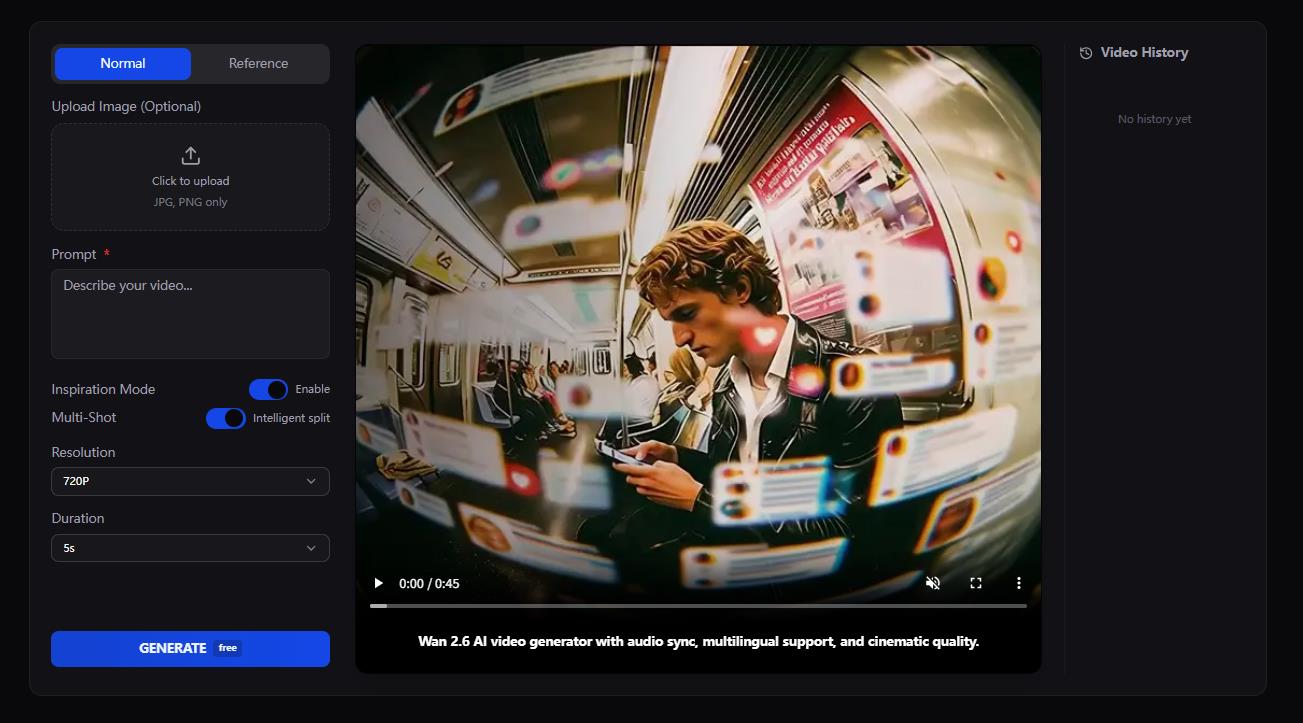
Generate audio-synced video
Make small prompt refinements if needed
Export
For anyone producing speaking content regularly, Wan 2.6 reduces the need for “post-production glue.”
Who Should Choose Wan 2.6?
Wan 2.6 is especially worth it if your projects involve:
Dialogue, narration, or spokesperson content
Recurring characters, avatars, or mascots
Cinematic camera movement and polished motion
Multi-character scenes or interaction
Short-form storytelling where pacing matters
Wan 2.5 can still be sufficient for:
Abstract or non-speaking visuals
Simple background clips
Early-stage concept exploration
Best Practices for Wan 2.6 Prompts
To get the most out of Wan 2.6, structure prompts like this:
Subject: who/what is in the scene
Action: what happens over time
Environment: where it takes place
Lighting: time-of-day + mood lighting
Camera: shot type + movement
Audio: what is said or what sounds are present
Clear structure helps Wan 2.6 use its improved prompt interpretation.
Final Verdict: Wan 2.6 vs Wan 2.5
If you’re comparing Wan 2.6 vs Wan 2.5, Wan 2.6 is the version that feels closer to a production tool rather than an experiment. The biggest practical wins are native audio sync, improved character stability, smoother motion, and stronger prompt understanding.
If your workflow involves real storytelling, dialogue, or brand consistency, Wan 2.6 is the stronger and more future-proof choice.