When Google showed Gemini Omni Flash at I/O in May 2026, the clips lit up every feed. People watched the demos and decided, on the spot, that Google had just won AI video. The takeaway seemed simple: Omni Flash is the new king, everything else is old news.
But a closer look tells a more useful story.
Because the moment creators tried to actually use Omni Flash for real work, they ran into a wall — and started searching for a gemini omni flash alternative they could run today. That search is the whole reason this post exists. I tested Omni Flash against Seedance 2.0 and Kling 3.0 on the same real jobs, and the result is not about which demo looks prettier. It is about which tool actually finishes your work. By the end you will know which one fits you, and why so many people land on the same answer.
Let's get into it.
Why is everyone talking about Gemini Omni Flash?
Omni Flash won attention first, and that matters more than people realize.
The demos are genuinely strong. Google showed off polished clips with native audio, smooth motion, and a multi-turn editing trick where you keep talking to the model to refine a shot. For a launch reel, it was hard to ignore. Bold motion, clean lighting, dramatic close-ups — exactly the kind of thing that stops you mid-scroll.
And that is the point worth understanding. A launch demo is built to win the first impression. It is the movie trailer, not the movie. Winning attention quickly is often enough to make everyone declare a new winner, even before anyone has shipped a single real project with it.
So yes, the hype is real. But hype and usable workflow are two different things, which is where the story gets interesting.
So why can't most people actually use it?
Here is the wall everyone hits.
As of June 2026, Gemini Omni Flash has no open developer API. Google said it was "coming weeks" back in May, but it still has not shipped. That single fact changes everything for anyone doing real work. You cannot plug it into your own pipeline, you cannot batch out ten variations of an ad, and you cannot build it into a product. You can only make clips by hand, one at a time, inside Google's own apps.
Access is limited in other ways too. Free users do not get the full model inside the Gemini app — the only free door is through YouTube. Paid access sits behind a monthly subscription. So for a lot of creators and teams, Omni Flash is a "look but don't touch" tool right now.
There is one place you can actually try it without bouncing around Google's apps: XMK runs a Gemini Omni Flash online tool page where you can generate clips directly. But be clear about what you get there. You can make videos, yes — but it does not do the full multi-turn editing the original was shown off with. In other words, even on the page where Omni Flash is usable, its single headline feature is not. You can generate, but you cannot keep refining a shot through back-and-forth the way the launch demo promised.
This is exactly why the search for a free alternative to gemini omni flash keeps growing. People do not want a demo to admire. They want a tool they can open and use before Friday — and ideally one whose best feature actually works. That gap — beautiful model, locked or trimmed-down features — is the real story behind every seedance 2.0 vs gemini omni flash comparison.
Seedance 2.0 or Kling 3.0 — which one can actually replace Omni Flash?
If you cannot use Omni Flash today, you have two real options that are live right now: Seedance 2.0 and Kling 3.0. Both are strong. Both are easy to access. So the honest question is not "is there an alternative" — there clearly is — but which of these two actually fills the gap Omni Flash leaves? That is the question I set out to answer, and I did not want to guess it from spec sheets. I tested it. (The results are further down; first, here is why each one is a serious candidate.)
The case for Seedance 2.0. If Omni Flash behaves like a flashy cinematographer who shows up for the demo reel, Seedance 2.0 behaves like a director who stays for the whole shoot. It is built on XMK's all-in-one AI creation platform, it is live today, it has a free trial, and the credits never expire. Its pitch as an alternative rests on the things people actually wanted from Omni Flash:
Multi-shot stories that hold together as one piece.
Character consistency across scenes, the hardest part of AI video.
Segment-level editing — fix one shot without redoing the whole render.
Multimodal input: text, image, audio, and video references at once.
That editing point matters most. Omni Flash's headline feature is multi-turn editing — but as noted above, even on XMK's Omni Flash tool page you cannot do the full version of it. So this is the exact gap a real alternative has to close. Seedance offers a practical gemini omni flash multi-turn editing alternative you can run from start to finish today: generate a shot, refine one segment, refine again, all the way to a finished clip.
The case for Kling 3.0. Kling is no underdog. It is a model many creators already trust, and it wins on raw visual polish — clean 4K output and cinematic motion that, frame for frame, can look closer to an Omni Flash demo than Seedance does. If your idea of "replacing Omni Flash" means matching that glossy, high-resolution single-shot look, Kling has a real claim here. It runs on the same kind of platform, so access is just as easy.
So the two candidates pull in different directions: Seedance argues that a true alternative has to carry a whole project, while Kling argues that it has to match the look. Both are reasonable. The only fair way to settle it is to put the same jobs through both and see which one holds up — which is exactly what I did.
One honest limit before we go on: Seedance does not support real human faces, by design. For animation, product, and illustration work that is a non-issue. For real-person footage, you would need a different tool. Better to know that now than mid-project.
Seedance 2.0 vs Gemini Omni Flash vs Kling 3.0: the real differences
These three are not trying to make the same video. They optimize for different goals. Omni Flash chases first-impression polish. Kling chases the single cinematic shot. Seedance chases control across a whole project.
Here is the practical comparison. The access and pricing rows are facts. The score rows are my own test results, filled in from real runs.
What you care about | Seedance 2.0 | Gemini Omni Flash | Kling 3.0 |
|---|---|---|---|
Prompt accuracy (my score /10) | 7 | 8 | 6 |
Motion quality (my score /10) | 6 | 8 | 8 |
Character consistency (my score /10) | 6 | 8 | 6 |
Public API for builders | Yes (via platform) | No, not open yet | Yes (via platform) |
Free trial | Yes, free credits | Limited | Yes, free credits |
Max resolution | Up to 1080p | Up to 1080p | Up to 4K |
Max clip length | Multi-shot, extendable | About 10 seconds | Short clips, extendable |
Multi-turn editing | Yes, segment-level | Yes (its headline feature) | Limited |
Inputs accepted | Text, image, audio, video | Text, image, audio, video | Text, image |
Real human faces | Not supported | Not supported | Limited |
Pricing model | Credits | Credits | Credits |
Best for | Full story videos, fast iteration | Polished short clips | Cinematic single shots |
Read the table quickly: the rows that decide real work are "Can you use it today," "Public API," and "Multi-shot storytelling." On all three, Seedance is the practical pick. Kling is lovely for one hero shot. Omni Flash looks great but stays behind a locked door. That is why, for most working creators, Seedance lands as the best seedance 2.0 vs gemini omni flash answer — not because it wins every single row, but because it wins the rows that let you finish.
I tested all three on the same jobs — here is what happened
A table is just claims until you back it with real clips. So I gave all three models the exact same three jobs: a product ad, an anime short, and a multi-shot story. Same prompts, same inputs, same target length. Here is what came out.
Test 1: A product ad (the "follow my prompt" test)
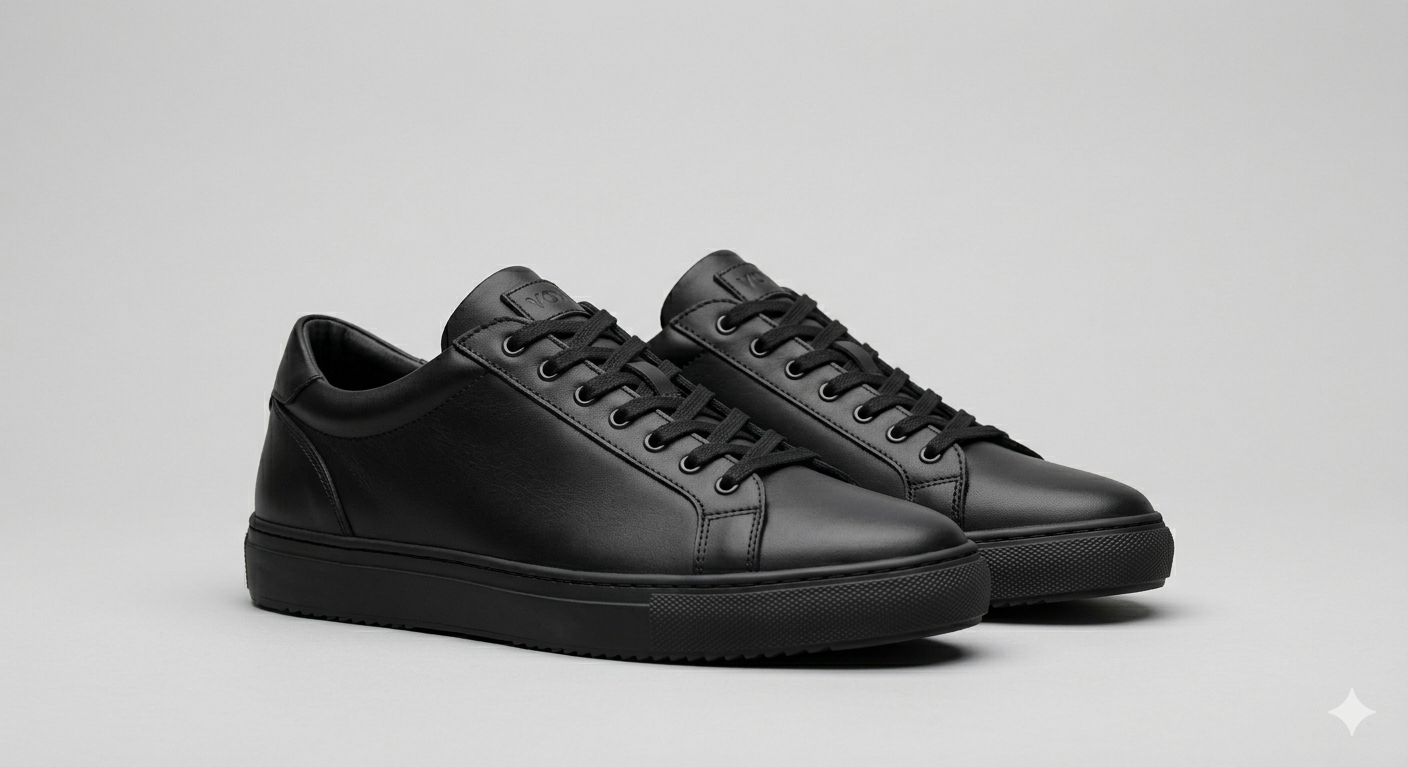
The job: a 10-second shoe ad. Same prompt and same product photo into all three. I wanted clean camera movement around the shoe, soft studio light, and the product staying sharp the whole time.
Seedance 2.0 result:
The generation of this video took one minutes. The camera movements followed the instructions, and the shoes remained consistent throughout the shot. The rotating display is well-suited for showcasing products, the image quality is clear, and the voiceover is soothing.
Gemini Omni Flash result:
The generation of this video took one and a half minutes. The camera movements followed the instructions, the shoes remained consistent throughout the shot, the rotating display perfectly matched the sound effects, and the image quality is clear.
Kling 3.0 result:
The generation of this video took 40 seconds. The camera movements did not follow the instructions, and the shoes were not consistent throughout the shot. The shoes flipped over, there was no sound effect for the rotating display, and the rotation was not smooth.
My takeaway:
Both Gemini Omni Flash and SeeDance 2.0 completed the generation according to the instructions, with consistent objects and appropriate background music. In terms of selection, if speed is a priority, I personally recommend SeeDance 2.0 as it is fully capable of completing the task. However, compared to the other two video models, the video generated by Kling was relatively poor and failed to understand the instructions well.
For a paid campaign, the deciding factor is not just looks. It is whether you can make ten variations fast and fix the weak one. That is where having an open tool matters, and why a free alternative to gemini omni flash often wins on real deadlines even when the demo quality is close.
Test 2: An anime short (the "keep the character the same" test)
The job: a 10s anime-style story with the same character in four scenes. Character consistency is the hardest part of AI video, so this test is brutal.

Seedance 2.0 result:
I required the character to remain consistent while traveling through the four seasons. In the SeeDance 2.0 model, the character maintained consistency without any changes, perfectly following the instructions. Furthermore, the transitions between each scene were natural, and the background music blended cleverly with the settings, making each scene and its corresponding soundtrack particularly fitting.
Gemini Omni Flash result:
I requested that the character remain unchanged while traveling through the four seasons. In the Gemini Omni Flash model, the character remained consistent with only a minor flaw: the anime character's umbrella changed slightly during the summer scene, though this did not affect the overall quality. Each scene was not only paired with music but also featured sound effects appropriate to the environment, such as the sound of footsteps in snow during the winter scene. Furthermore, beyond the musical details, the character details were generated exceptionally well; for instance, in the winter scene, snow even landed on the umbrella. In short, the generated result was nearly perfect.
Kling 3.0 result:
The character in this model was not generated according to the instructions, and it failed to maintain consistency. Furthermore, the character's movement was unnatural, and the transitions between the four seasons were not fluid. In short, this was a failed video attempt.
My takeaway:
If character consistency is what you are looking for, both SeeDance 2.0 and Gemini Omni Flash are excellent choices. They are both highly effective at maintaining character consistency and demonstrate a better understanding of prompts. They can also proactively add sound effects, making the overall video more engaging. Between the two, the Gemini Omni Flash model shows a more natural understanding of character movements.
This test is also where editing style shows up clearly. Omni Flash leans on chat-style refining. Seedance lets you re-do a single segment directly. If you are looking for a practical gemini omni flash multi-turn editing alternative, this case is the one to watch, because fixing one shot without touching the others is what saves real hours.
Note: Seedance does not support real human faces by design. For anime and illustration work, that is a non-issue. For real-person video, you would need a different tool.
Real case 3: A multi-shot story (the "make it flow" test)
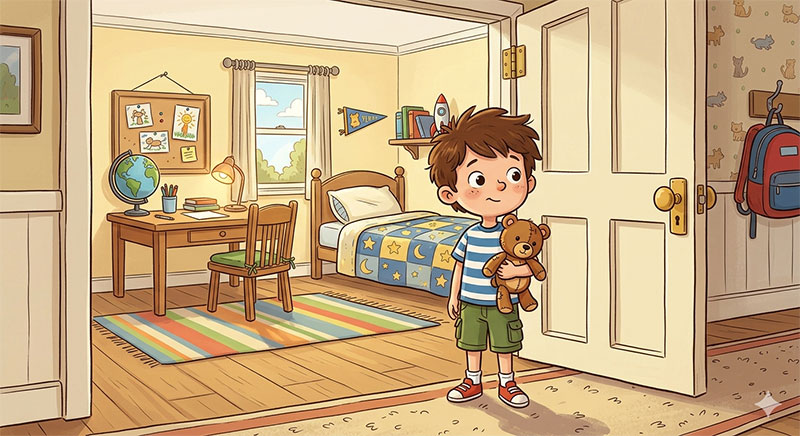
The job: a 10-second mini story with five shots that need to feel like one piece — a character walks into a room, sits, reacts, stands, leaves. The challenge is flow and rhythm across cuts.
Seedance 2.0 result:
In the generated video, the character remained consistent and completed every action according to the instructions. The character also performed some additional expressive movements for each action, and the camera movements were smooth. It was a very well-executed video.
Gemini Omni Flash result:
In the generated video, the character remained consistent, and every action was completed according to the instructions. However, the sense of spatial awareness was not handled very well, as the character went directly into another room, even though all the instructed actions were executed perfectly.
Kling 3.0 result:
In the generated video, the character followed the instructions to sit down and stand up, but the departure action was incorrect. There was a lack of spatial awareness, as the character did not walk out through the door.
My takeaway:
Spatial awareness is extremely challenging for models because it requires a profound understanding of three-dimensional space. However, the comparison shows that if you need to generate videos with a strong sense of spatial awareness, both SeeDance 2.0 and Gemini Omni Flash are excellent choices. Both models demonstrate a solid grasp of spatial instructions, with only minor variations in how they execute certain actions.
Why do the demos and real work tell different stories?
This is where most comparisons get confusing, so it is worth slowing down.
A launch demo asks one question: which clip grabs you at first glance? Real production asks a broader one: which tool lets you finish a consistent, editable project on a deadline? Those are not the same test, and a tool can win one while losing the other.
Think of it like a movie trailer versus the whole film. A trailer is built to win attention in thirty seconds. A film has to hold up for two hours. Omni Flash is a stunning trailer. Seedance is built to carry the whole film — multiple shots, consistent characters, fixes along the way.
Neither view is wrong. They just measure different kinds of success. Once you see that, the "who won" headlines stop being confusing. Omni Flash won the attention battle at launch. Seedance wins the production battle every week, because you can actually run it.
Which one should you pick?
Plain version, by who you are.
Pick Seedance 2.0 if you need to ship real video now — multi-shot stories, consistent characters, fast fixes, credits that never expire. For most working creators, this is the best Gemini Omni Flash alternative available today.
Pick Gemini Omni Flash if you are happy to wait, you only want to play inside Google's apps, and you do not need to build or batch anything. When its API finally opens, revisit this. Today it does not fit production.
Pick Kling 3.0 if your main need is one beautiful cinematic shot in 4K, and you do not need long multi-shot stories.
And here is the move a lot of smart creators make: do not marry one tool. A practical workflow can look like this —
Gemini Omni Flash → admire the demos, test quick concepts where you can Seedance 2.0 → build the actual multi-shot, editable final video Editing tools → cut the final story together
The future belongs to creators who combine tools for the job, not the ones waiting for a single perfect model. And since Seedance is the one you can open right now, it is the natural place to start.
FAQ
1. What is the best Gemini Omni Flash alternative I can use today?
Based on my tests, Seedance 2.0 is the strongest all-around pick, because it is live, has a free trial, supports multi-shot stories, and lets you edit single segments. Kling 3.0 is a good second if you mainly want cinematic 4K single shots.
2. How is Seedance 2.0 different from Omni Flash on editing?
Both refine clips. Omni Flash leans on multi-turn chat editing. Seedance gives you segment-level editing you can run end to end, which makes it a practical gemini omni flash multi-turn editing alternative.
3. Can I use the Gemini Omni Flash API right now?
No. As of June 2026, the developer API is still not open. You can make clips inside Google's apps, but you cannot call it from your own code yet.
4. How is Seedance 2.0 different from Omni Flash on editing?
Both refine clips. Omni Flash leans on multi-turn chat editing, which is app-only. Seedance gives you segment-level editing you can run end to end, which makes it a practical gemini omni flash multi-turn editing alternative.
5. Does Seedance 2.0 support real human faces?
No. By design it does not support real faces, selfies, or celebrities. Use illustrations, anime characters, or AI-generated faces. For real-person video, pick a different tool.
6. Is Seedance 2.0 better than Kling 3.0?
It depends on the job. Seedance wins for multi-shot stories and fast fixes. Kling wins for single cinematic 4K shots. Many people test both on one platform and keep whichever fits.
7. Did Gemini Omni Flash really beat everything else?
It won the launch hype. But "best demo" and "best tool to finish real work" are different things. For production today, an open tool like Seedance is the more practical choice.
Bottom line
The AI video world is splitting into two directions, and that is a good thing. One side chases instant impact and viral clips. The other chases control, consistency, and finished production. Gemini Omni Flash represents the first direction beautifully. Seedance 2.0 represents the second — the part where real work actually gets done.
So did Omni Flash beat everyone? Not quite. It won the battle for attention. But for the creators who need to open a tool and ship something real this week, the best Gemini Omni Flash alternative is the one that is already here. Start your first free test on XMK and see which one fits your work.