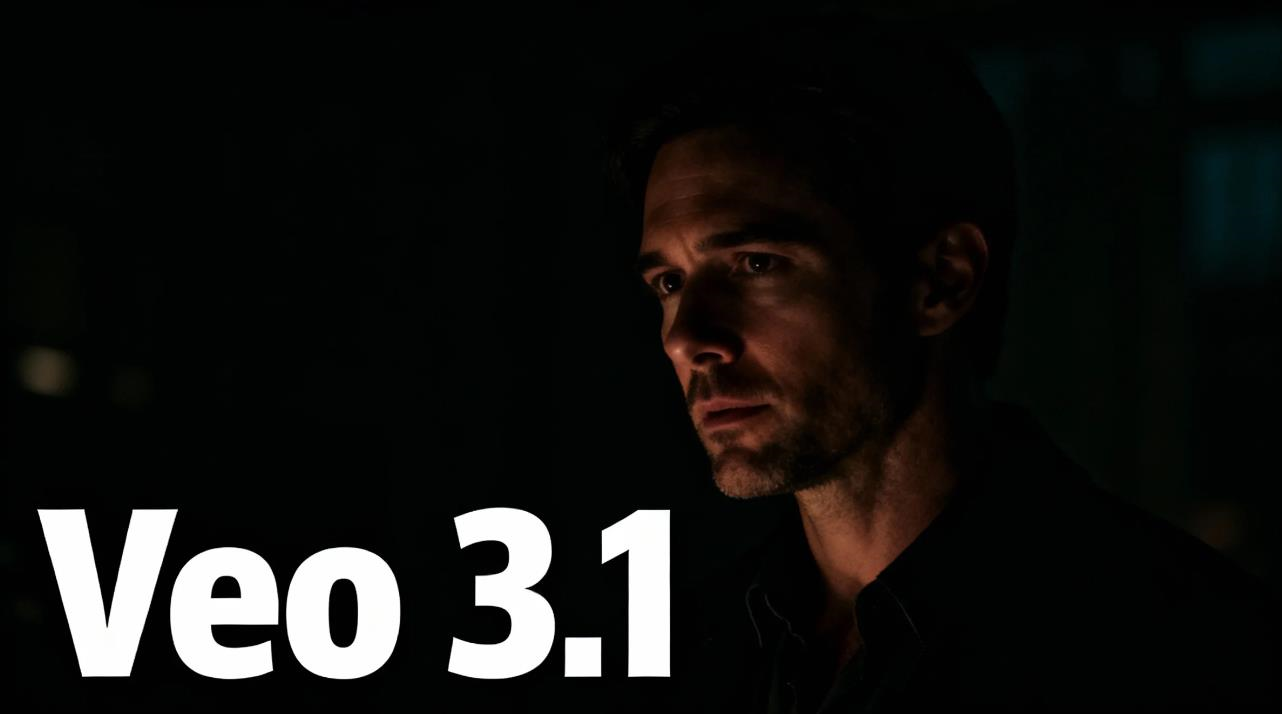
I generated the same sunset city scene in Veo 3.1, Sora 2, and Runway Gen-3.
Only one looked like it was shot on an ARRI Alexa.
That model was Veo 3.1.
Veo 3.1 is not just another AI video generator. Veo 3.1 feels cinematic in a way most AI video models still struggle to achieve. From lighting behavior to motion continuity, Veo 3.1 consistently produces frames that feel closer to real film grammar rather than synthetic animation. For creators who care about visual storytelling, this cinematic difference changes what is possible in AI-driven short film production.
Why does Veo 3.1 feel so cinematic—and why does this matter for creators making short films?
The Core Advantage of Veo 3.1
Most AI video models optimize for speed and novelty. Veo 3.1 optimizes for cinematic coherence.
Veo 3.1 produces:
Natural light falloff instead of flat HDR lighting
Consistent camera language across shots
Stable character scale and perspective
Motion that respects cinematic pacing
These qualities allow Veo 3.1 to behave more like a virtual cinematographer than a random frame generator. This is why Veo 3.1 consistently feels cinematic even with simple prompts.
Veo 3.1 vs Sora 2: A Cinematic Comparison
Using identical prompts, I generated short film-style scenes in both Veo 3.1 and Sora 2.
Prompt example:
A lone traveler walking slowly through a rain-soaked neon alley, cinematic lighting, shallow depth of field, moody atmosphere.
Metric | Veo 3.1 | Sora 2 |
|---|---|---|
Lighting realism | Natural and soft | Slightly synthetic |
Motion continuity | Smooth and grounded | Occasionally floaty |
Depth of field | Lens-like blur | Over-sharpened |
Emotional tone | Strong | Medium |
Veo 3.1 consistently preserves subtle lighting transitions and believable camera motion, producing shots that feel closer to real film footage.
Why Cinematic Quality Matters in Short Films
Short films depend on atmosphere, pacing, and visual trust. Viewers emotionally engage with scenes that feel grounded, natural, and visually coherent.
Because Veo 3.1 feels cinematic, it enables:
Higher perceived production value
Stronger emotional immersion
Cleaner storytelling continuity
More usable shots per generation
For independent filmmakers and content creators, this means fewer failed renders and more story-ready scenes.
How to Use Veo 3.1 for Cinematic Short Films
This is where Veo 3.1 truly shines. If your goal is to create cinematic short films, Veo 3.1 works best when you treat it like a virtual film crew rather than a random generator.
1. Think in Shots, Not Prompts
Instead of asking for “a video,” describe a shot:
Medium close-up of a young man standing under a flickering streetlight, shallow depth of field, soft rain, cinematic lighting.
Veo 3.1 responds better to camera-aware shot descriptions.
2. Define Lighting Direction and Mood
Always include light source direction and atmosphere:
Soft side light
Backlit silhouette
Neon rim light
Overcast diffuse light
These cues significantly increase the cinematic realism of Veo 3.1.
3. Control Motion Simplicity
Short films rely on subtle motion:
Slow walking
Head turns
Gentle camera push-ins
Avoid chaotic movement. Veo 3.1 feels most cinematic when motion is natural and grounded.
4. Build Scenes Sequentially
Instead of generating a long video, generate scene shots individually:
Establishing shot
Medium shot
Close-up
This keeps each Veo 3.1 shot visually stable and easy to edit into a short film sequence.
5. Use Consistent Visual Language
Repeat lighting style, time of day, and mood keywords across all Veo 3.1 prompts. This gives your short film a cohesive cinematic look.
Known Limitations
While Veo 3.1 performs well for cinematic storytelling, it can struggle with:
Large crowds
Complex choreography
Extremely fast camera motion
Within narrative-driven short films, however, Veo 3.1 remains visually reliable.
Conclusion
Veo 3.1 is not just an AI video generator—it is a cinematic scene engine. Veo 3.1 feels more like a virtual cinematographer than an animation model, making it especially powerful for short films, branding videos, and story-based content.
If you want to experience how Veo 3.1 performs in real cinematic workflows, start your creative journey here: