Most articles about Seedance 2.0 Mini repeat the same rumors: "around $0.073 per second, super fast, almost as good as the big model." I kept seeing those numbers everywhere, so I did something simple — I actually ran Mini on XMK, timed it, paid for it, and looked hard at the output.
The real results were not quite what the rumors said. Some things were better, one thing was slower. This guide is that hands-on test: real credit cost by resolution, real render time, and an honest look at quality next to the bigger Seedance models. If you want to skip the reading and just try it, Mini is live on the Seedance 2.0 Mini tool page.
Let's get into what I actually found.
Quick summary of my test
For people who want the short version:
What I tested: anime character generation, 5-second clips, on XMK.
Render time: a 5-second 720p clip took about 3 minutes. Not the "instant" speed the hype suggests.
Quality: honestly on par with Standard and Fast for my anime work — I could not pick out an obvious downgrade.
Consistency: the character stayed consistent across the shot, and prompt accuracy was high.
Real cost: a 5-second clip runs 80 credits at 480p or 165 credits at 720p — which works out to roughly $0.56–$1.65 per clip depending on your plan.
So the one-line verdict: Mini's real strength is low cost with quality that holds up, not raw speed. The rest of this guide breaks that down.
What is Seedance 2.0 Mini?
Mini is the lightweight tier of the Seedance 2.0 family. Same core engine as the full model, trimmed to cost less. The family now has three tiers:
Seedance 2.0 (Standard): the full-strength model, for final hero shots and polished work.
Seedance 2.0 Fast: a quicker tier that trims some features.
Seedance 2.0 Mini: the cheapest, built for high-volume, everyday clips.
The reason people are excited is simple: normally "smaller and cheaper" means "worse." Based on my test, Mini mostly avoids that trap — at least on quality. The catch is elsewhere, in speed, which I will get to.
Real render time: it is not "instant"
This is where my test disagreed with the hype, so I want to be straight about it.
A lot of write-ups sell Mini as lightning fast. In my test, a 5-second 720p anime clip took about 3 minutes to generate on XMK. That is perfectly usable, but it is not the "blink and it's done" speed some posts imply. If your mental picture of Mini was "instant drafts," adjust it: Mini is cheap and solid, not a speed demon.
Why does this matter? Because if you pick Mini expecting instant turnaround, you will be annoyed. If you pick it expecting a low-cost way to make a lot of clips at decent quality, it delivers. Pick it for the right reason.
Real quality: honestly close to Standard
Here is the part that surprised me in a good way.
I generated anime characters on Mini and compared the output to what Standard and Fast produce. For this kind of work, the three were basically neck and neck. I was looking for the usual "budget model" tells — mushy details, broken motion, a character that drifts between frames — and I did not really find them.
Two specific things held up well:
Character consistency: the character stayed recognizably the same through the shot, which is the part AI video usually gets wrong.
Prompt accuracy: what I described in the prompt is mostly what I got back, without a lot of fighting.
I want to be fair about scope: I tested anime character generation. I cannot promise the same result for photoreal product shots or complex physics scenes. But for animation and stylized character work, Mini punching at Standard's level is a real result, and it is the main reason it is worth your attention.
Real price: what a Mini clip actually costs on XMK
This is the data almost no other article has, because it comes from real generations, not a rumored per-second figure. XMK uses one-time credits — you buy a bundle, and the per-credit price drops the bigger the bundle.
Here is what a 5-second Mini clip actually consumes:
5-second clip at 480p: 80 credits
5-second clip at 720p: 165 credits
And here is what those credits cost across XMK's plans:
Plan | Price | Per credit | 5s 480p (80 cr) | 5s 720p (165 cr) |
|---|---|---|---|---|
Base | $9.9 | $0.010 | $0.80 | $1.65 |
Pro | $29.9 | $0.009 | $0.72 | $1.49 |
Ultimate | $49.9 | $0.008 | $0.64 | $1.32 |
Creator | $99.9 | $0.007 | $0.56 | $1.16 |

So a single 5-second 720p clip costs somewhere between $1.16 and $1.65, depending on which plan you are on. At 480p it drops to $0.56–$0.80. In per-second terms that is roughly $0.23–$0.33 per second at 720p.
An honest note on the "rumored" price. A lot of articles quote Mini at about $0.073 per second. In real use on XMK, my numbers came out higher than that. I am not going to pretend the rumor matches reality — your real cost depends on resolution and which credit bundle you bought, and the table above is what I actually paid. Two takeaways: shoot drafts at 480p to roughly halve your cost, and a bigger bundle (Ultimate or Creator) meaningfully lowers your per-clip price.
What is Seedance 2.0 Mini best for?
Based on my test, Mini fits some jobs perfectly and is the wrong call for others. Here are the situations where it shines:
High-volume short clips. If you need to pump out a lot of videos — daily social posts, batches of ad variants, a steady stream of content — Mini's low cost adds up to real savings. Ten Mini clips can cost less than a couple of Standard renders.
Anime and stylized work. This is where my test showed Mini holding its own against Standard. For animated characters and illustrated styles, you get close-to-top quality without the top price.
Drafting and idea testing. Trying out prompts, exploring a look, checking if an idea works — do it cheaply on Mini at 480p, then commit to higher resolution only for the version you keep.
Tight budgets. Solo creators, small teams, and anyone watching their spend get the most out of Mini, especially on a larger credit bundle.
And the situations where Mini is the wrong tool:
A final, high-stakes hero shot where every frame has to be flawless — use Standard.
Work that depends on speed — at about 3 minutes per 5-second 720p clip, Mini is not a fast lane.
Real-person footage — no Seedance tier supports real human faces.
Who should use Seedance 2.0 Mini?
To make it concrete, here is who gets the most value from Mini:
Social media creators. If you post short videos often and need them to look good without burning your budget, Mini is built for your rhythm.
Anime and illustration creators. My test was anime character work, and Mini matched Standard closely. If this is your lane, Mini is a genuine money-saver.
Small businesses and marketers. Making lots of ad variations or product clips on a budget is exactly Mini's sweet spot.
Beginners. It runs in the browser with no setup, and the low cost means experimenting does not get expensive while you learn.
And who should probably reach for Standard instead:
Professional filmmakers delivering final, polished work where quality cannot slip.
Anyone who needs speed more than savings.
In short: if your work is high-volume, stylized, or budget-conscious, Mini is likely your best pick. If it is a small number of final, flawless deliverables, stay on Standard.
Seedance 2.0 Mini vs Seedance 2.0 vs Seedance 2.0 Fast
Putting my test together with what each tier is built for:
What you care about | Seedance 2.0 | Seedance 2.0 Fast | Seedance 2.0 Mini |
|---|---|---|---|
Best use | Final hero shots | Quick turnarounds | High-volume, drafts, social |
Quality (my anime test) | Top | Good | On par with Standard/Fast |
Render time | Slowest | Fast | ~3 min for 5s 720p (my test) |
Cost per 5s clip (720p) | Highest | Middle | $1.16–$1.65 (real, by plan) |
Character consistency | Strongest | Good | Good in my test |
Real human faces | Not supported | Not supported | Not supported |
Who it suits | Pros, final cuts | Everyday use | Budget, high volume |
The plain read: for anime and stylized character work, Mini gives you close-to-Standard quality at the lowest price in the family. Standard is still the safer pick when a clip is the final deliverable and every frame has to be perfect. Fast sits in the middle.
One limit shared by all three tiers: no real human faces (no selfies, portraits, or celebrities). Use illustrations, anime, or AI-generated faces. For real-person footage you need a different tool.
How to use Seedance 2.0 Mini
Getting started is simple, and the steps are the same idea on any platform that carries the model.
1.Open the Mini tool page. Seedance 2.0 Mini is already live on XMK — head to the Seedance 2.0 Mini tool page and start with a free trial, so you can test before spending much.
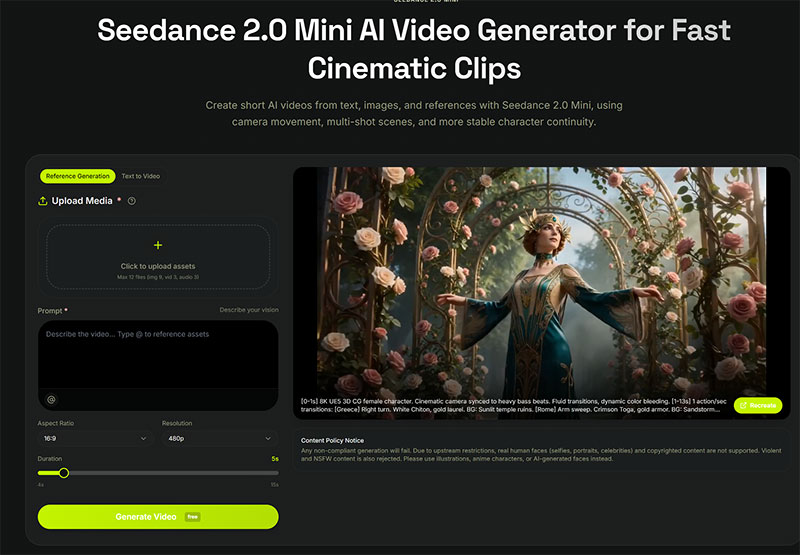
2.Pick the Mini tier. In the model selector, choose Seedance 2.0 Mini rather than Standard or Fast.
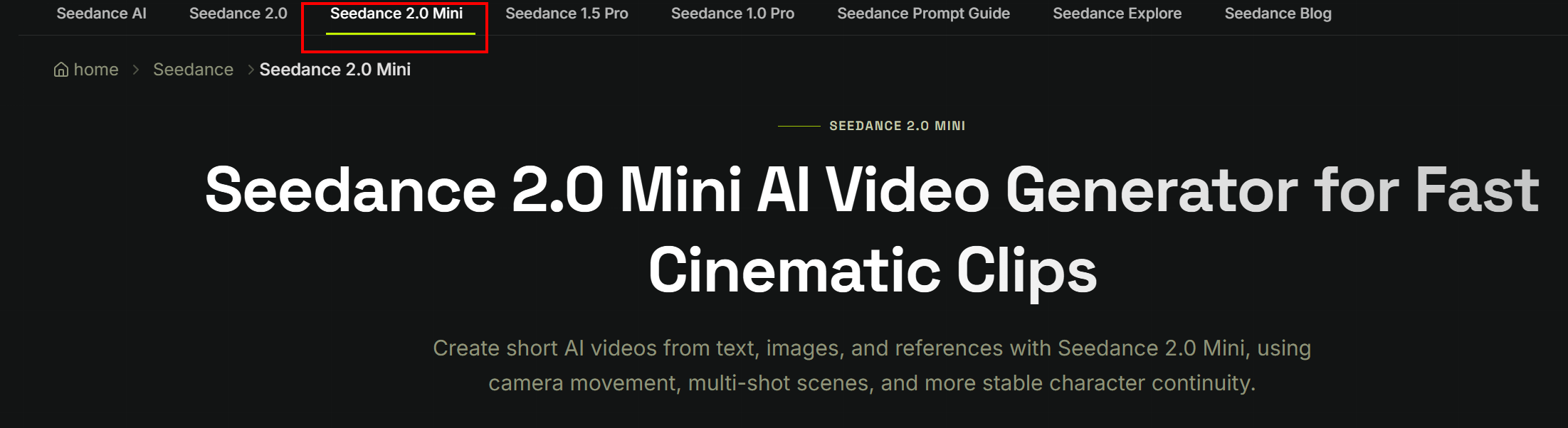
3.Write a short, clear prompt. Say what is in the frame, how the camera moves, and the mood. Keep it to one idea per clip — Mini rewards tight prompts.
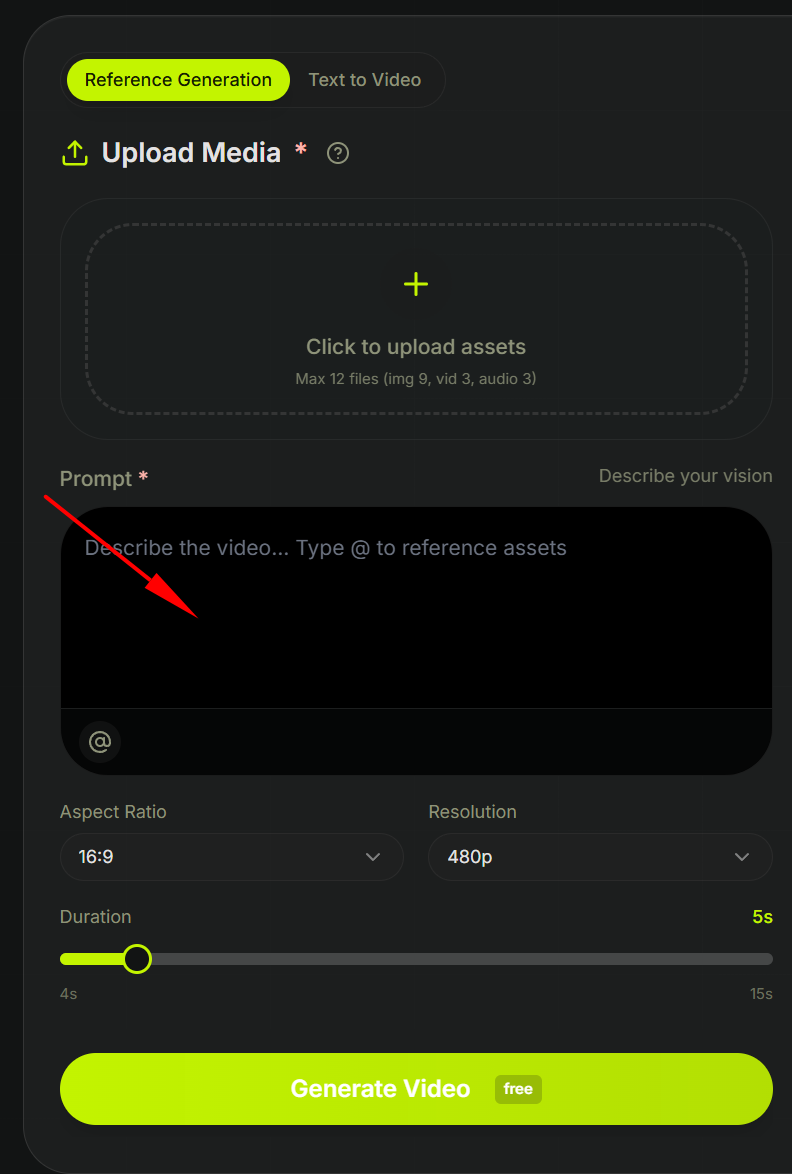
4.Add references if you have them. Drop in an image, a short video, or an audio guide to steer the look. Multimodal input cuts down on retries.
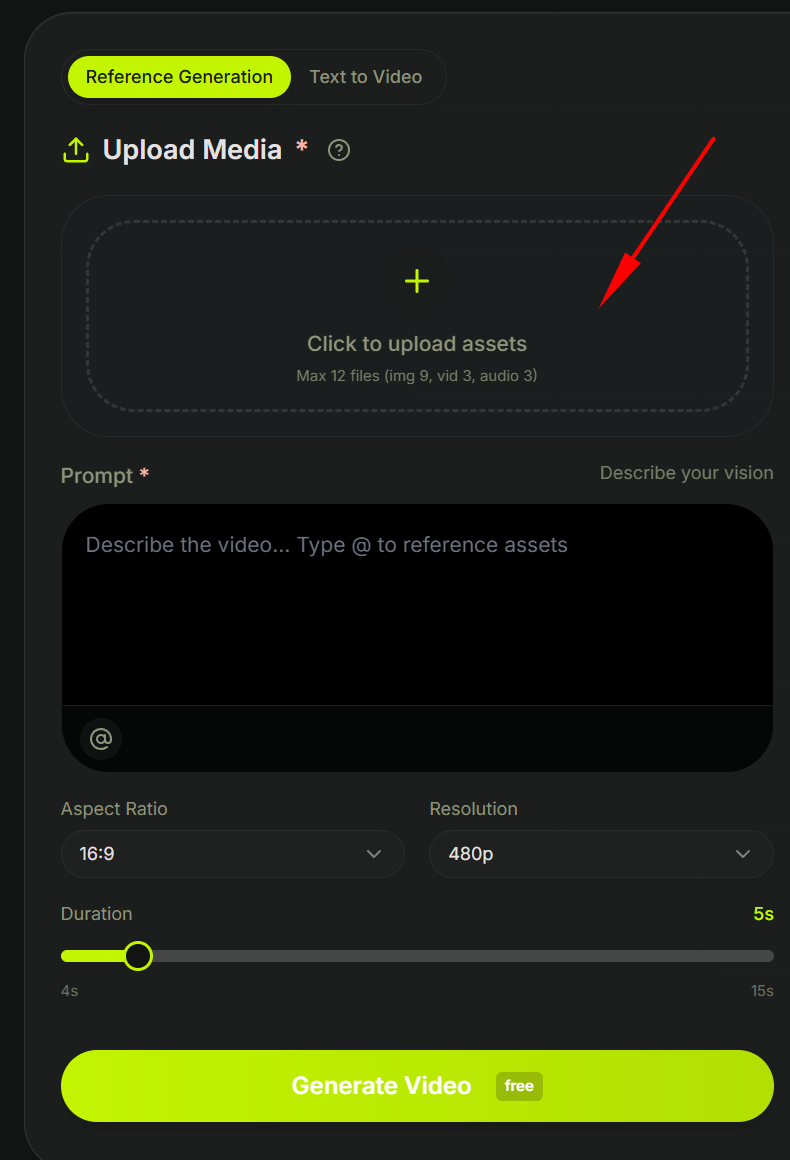
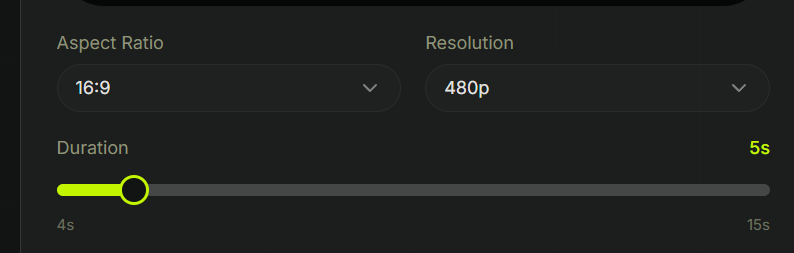
5.Set resolution and length. For drafts, 720p and a short clip keep cost and time low. Save 1080p for the keeper.
6.Generate, react, repeat. Because renders are fast, treat it like a conversation — make a version, see it, tweak the prompt, go again.
7.Upgrade the winner. Once a prompt clearly works, run it on Standard for the final, polished render.
That loop — draft cheap on Mini, finish strong on Standard — is the core of how to use Seedance 2.0 Mini well.
Should you use Mini?
Plain version:
Use Mini if you make a lot of anime or stylized clips and you want near-Standard quality at the lowest cost. This is its sweet spot, and my test backs it up.
Use Standard if the clip is a final, high-stakes deliverable where you cannot risk any quality gap.
Skip Mini if your main need is speed — 3 minutes for a 5s clip is fine, but it is not a fast lane.
For most creators doing volume work, the honest recommendation is: draft and even finish anime work on Mini at 480p or 720p, and keep Standard for the jobs that truly demand it.
FAQ
1. What is Seedance 2.0 Mini in simple terms?
It is the lightweight, cheaper tier of the Seedance 2.0 family. Same core technology, trimmed to run faster and cost less, aimed at high-volume short-form video.
2. When is the Seedance 2.0 Mini release date?
It has started rolling out on platforms like Dreamina/CapCut and is usable now in those places, with availability expanding through late June into July. ByteDance has not yet published full official release docs, so treat exact details as current-best rather than final.
3. How much does Seedance 2.0 Mini cost?
It uses credit-based pricing that varies by resolution, length, audio, and references. Reported figures put it around US$0.073 per second — cheaper than the Fast tier — but these are reported numbers, not a final official price list, and can vary by platform.
4. Seedance 2.0 Mini vs Seedance 2.0 Fast — which is better?
For many short-form jobs, Mini is reported to be both cheaper and at least as good as Fast. Fast and Standard are more fully documented today. If Mini holds up for your work, it often wins on value.
5. Is Seedance 2.0 Mini good enough to replace Standard?
For drafts, variants, and social clips, often yes. For final, high-fidelity hero shots, Standard is still the safer choice. Most people use Mini to draft and Standard to finish.
6. Will Seedance 2.0 Mini look much worse than Standard?
Not by much. Mini does give up a little top-end fidelity to gain speed and a lower price, but for short-form work it is reported to stay close to Standard and even beat the Fast tier. For drafts, social clips, and variants it is more than good enough. Only for final hero shots, where every frame counts, is Standard the safer choice.
7. How do I use Seedance 2.0 Mini for the first time?
Open a platform that carries it (you can start free on XMK), select the Mini tier, write a short clear prompt, add references if you have them, keep drafts at 720p, generate and tweak, then upgrade the winning prompt to Standard for the final render.
Bottom line
After actually testing it, my take on Seedance 2.0 Mini is clear: it is a low-cost model that holds its quality for anime and stylized work, with character consistency and prompt accuracy that surprised me. The two honest caveats are that it is not as fast as the hype suggests (about 3 minutes for a 5s 720p clip in my test) and the real price is higher than the rumored $0.073 per second once you run it on a real platform. Knowing the true numbers, you can use it smartly — draft at 480p, finish at 720p, and lean on Mini for the volume work where its low cost pays off.