To use Nano Banana 2.1, open a supported tool, choose text-to-image or image editing, enter your prompt, review the settings and cost, and generate. What changes from place to place is the interface, the price, and whether any of it is free.
Google released the model on October 6, 2026. Below, we walk through every step on XMK, where we made one image from a text prompt and then edited it with that image as a reference. After that, we cover the Google options: the Gemini app, Google AI Studio, the Gemini API, and Google Flow.
A quick note on how we tested: we ran XMK directly on October 16, 2026. For the Google options, we checked the linked documentation that day but did not run generations.
Where to Use Nano Banana 2.1 and What It Costs
Google’s model card lists the Gemini app, Google AI Studio and the Gemini API, Search AI Mode, Flow, Google Ads, and Google Stitch as channels. Third-party sites like XMK run the model in their own interface. Here are the four you’re most likely to use:
Option | Cost | Free option? | Good fit if | What you need |
|---|---|---|---|---|
XMK | 10 credits per 1K image (displayed) | One free 1K voucher for eligible accounts, per the site | You want a browser tool without API setup | An XMK account |
Gemini app | Not confirmed for 2.1 | Not confirmed for 2.1 | You already chat with Gemini | A Google account |
Google Flow | Credits; 2.1 cost not listed | Free model is Nano Banana 2 Lite, not 2.1 | You already use Flow | A Google account |
Google AI Studio / Gemini API | Image output from $0.0336 per 1K image | Free tier listed as “Not available” | You write code or run batches | A billing-enabled Google project |
A few details behind that table:
API pricing: The Gemini API pricing page lists image output at $0.0336 for 1K, $0.0504 for 2K, and $0.113 for 4K. Input, text/thinking output, and optional search charges may add to the total. Batch image output is half price.
Gemini app: Google’s Gemini Apps limits page still lists Nano Banana 2 as the image model on all plans. We could not confirm plan-specific Nano Banana 2.1 access from the help pages we checked.
Google Flow: Flow’s model help page calls Nano Banana 2.1 “the standard model” and lists Nano Banana 2 Lite as the no-charge option.
XMK: The model page says an eligible free account with remaining vouchers can use one on a 1K Text to Image run, with search and references off. We didn’t redeem one; both of our runs used paid credits.
Which Option Should You Choose?
If you want to see what the model does with your kind of prompt, start in a browser with one 1K image. If you’re building an app or processing images in bulk, go to the API, where batch jobs cut the image output price in half. If you already use Gemini or Flow every day, try it there too, keeping the notes above in mind.
How to Use Nano Banana 2.1 on XMK, Step by Step
No API key, no code, nothing to install; you just need to sign in. Here’s exactly what we did.
Step 1: Open the Nano Banana 2.1 Workspace
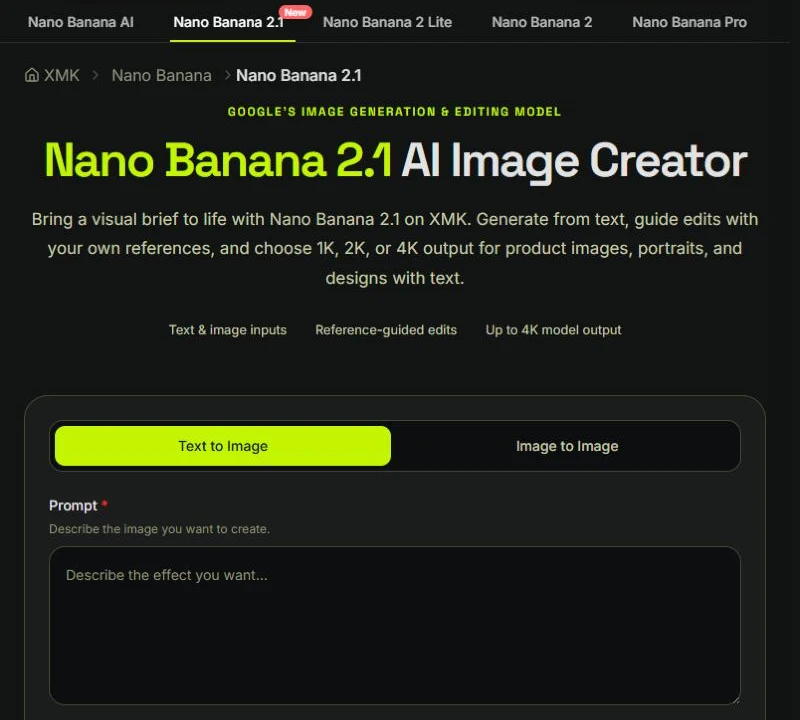
Go to the Nano Banana 2.1 page on XMK and sign in. You’ll see two tabs: Text to Image for new pictures and Image to Image for edits based on a photo you upload.
Step 2: Write a Prompt and Choose an Aspect Ratio
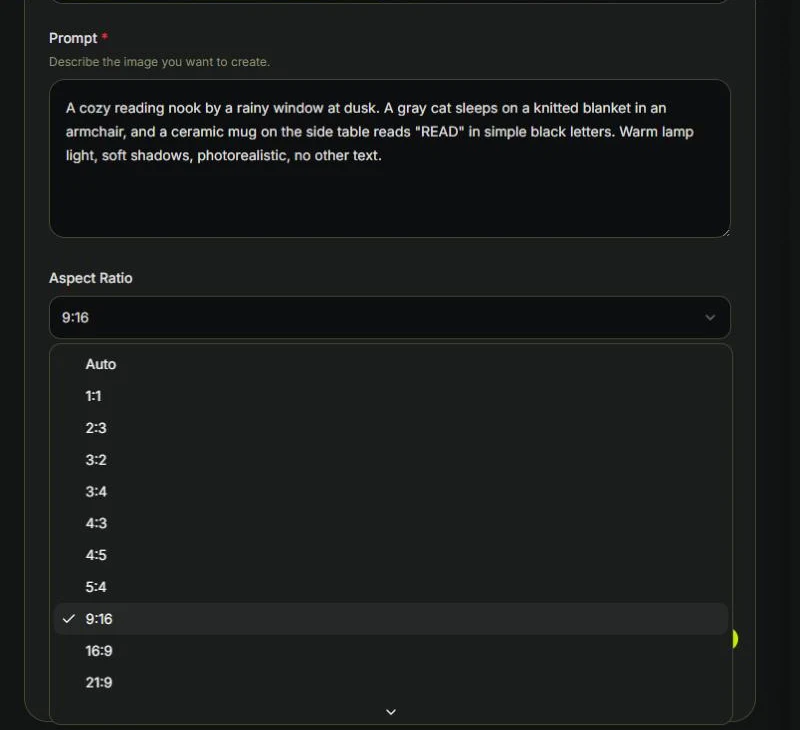
Describe what you want, then pick a ratio from the dropdown. XMK lists Auto plus 14 ratios, from 1:1 and 4:5 all the way to ultra-wide 8:1 and tall 1:8.
We wanted something with a few easy-to-check details, including a short word on an object. This is the prompt we used, at 4:5:
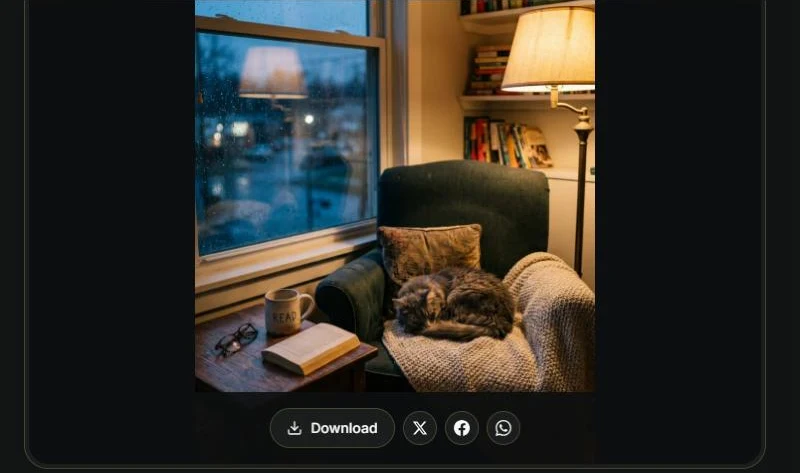
A cozy reading nook by a rainy window at dusk. A gray cat sleeps on a knitted blanket in an armchair, and a ceramic mug on the side table reads “READ” in simple black letters. Warm lamp light, soft shadows, photorealistic, no other text.
Step 3: Set the Format, Resolution, and Search Options
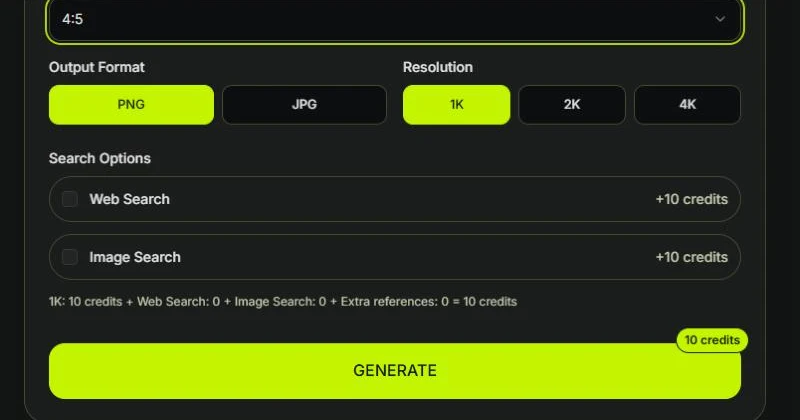
Pick PNG or JPG, then 1K, 2K, or 4K. XMK showed 10, 20, and 40 credits for those three. Web Search and Image Search each add 10 more, and the line above the button shows the total before you click anything.
For a first try, 1K with both searches off is plenty.
Step 4: Generate and Download
Click Generate. Ours came back in 18.3 seconds. The mug said “READ,” spelled right, and the rain, the sleeping cat, and the lamp light were all there. To keep it, use the Download button under the result (more on why below).
Step 5: Edit an Image With a Reference
Want to change one thing without starting over? Switch to Image to Image and upload your picture. XMK takes JPEG, PNG, and WEBP files up to 10MB, and up to 14 images. The first one is included in the base price; each extra image adds 10 credits.
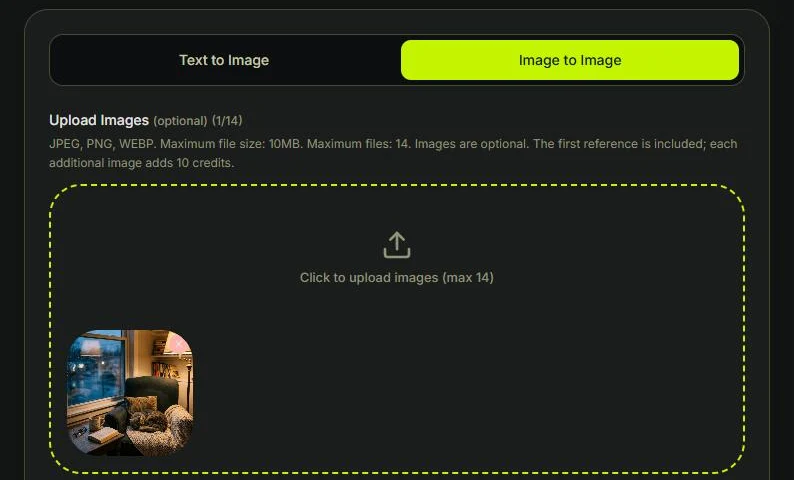
We uploaded our first result and asked for a single change:
Change only the weather outside the window from rain to gently falling snow. Keep the room, armchair, cat, mug, lamp, books, and warm lighting exactly the same.
That edit took 26.1 seconds and showed 10 credits. Snow replaced the rain outside. In this edit, the cat, the “READ” mug, the lamp, the glasses, and the books appeared to remain in place. We did not test whether listing them in the prompt was necessary.
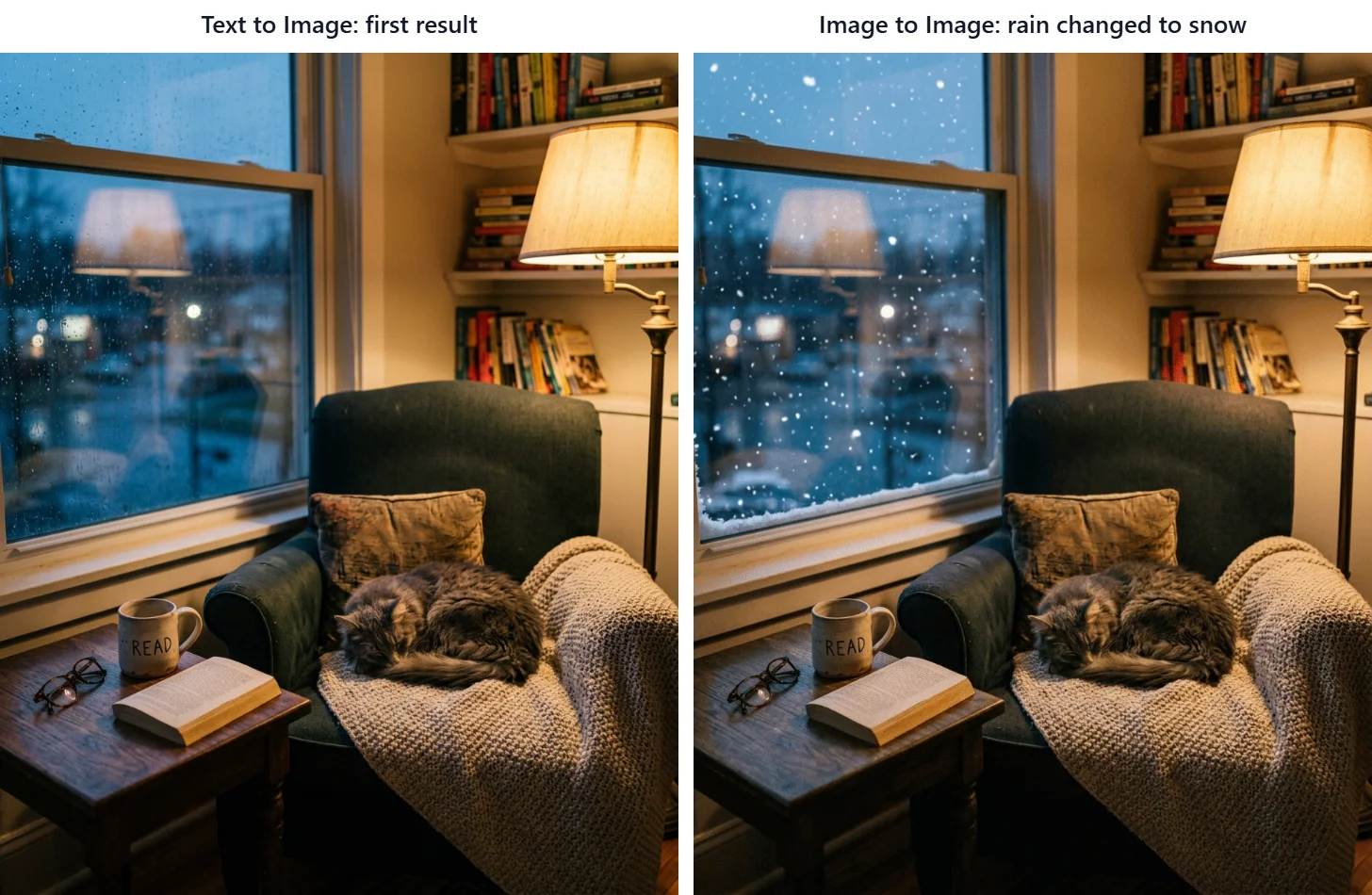
Which picture you upload matters. We used our first result because we liked the room and only wanted different weather. If the scene works and one detail is off, uploading the latest version makes sense. But if an earlier edit already changed something you care about, like the shape of a product, go back to your original photo. Otherwise the next round starts from the changed version. That’s our working rule, not something two runs can prove.
The credit numbers here are the totals XMK displayed before each run. On XMK’s pricing page, the smallest one-time pack is 990 credits for $9.90, and the page says purchased credits never expire.
Before You Save: Check the Real File
This one surprised us. For our edited image, we compared the copy shown on the page with the file the Download button saved:
Size | File size | |
|---|---|---|
Preview on the page | 804 × 998 | about 424 KB |
File from Download | 928 × 1152 | about 2.2 MB |
In our browser window, the preview was a smaller, compressed copy, and the button saved the original PNG. The preview size may change with your window, but the safe habit is the same: save with the button, not by right-clicking the preview.
Check the dimensions too. Both of our 4:5 images came out at 928 × 1152 pixels. That’s close to 4:5 but not exact (a true 4:5 at that height would be about 922 pixels wide). If your layout needs an exact size, crop it yourself.
Other Ways to Use Nano Banana 2.1
Google AI Studio and the Gemini API
This route is for developers who want the model inside an app or need to run images in bulk. Based on Google’s documentation:
Open Google AI Studio. The Nano Banana 2.1 model page links straight to it.
Use a project with billing turned on, since there’s no free tier for this model.
Select the model ID
gemini-nano-banana-2.1.Send your prompt, with reference images if you have them.
The model accepts text, image, video, and PDF input, outputs 1K, 2K, or 4K images (1K is the default), and takes up to 14 reference images. It also supports grounding with Google Web Search and Image Search. Paid grounding includes 5,000 free search requests per month, shared across Gemini 3 and newer models, then costs $14 per 1,000 requests. For big jobs, batch image output is $0.0168 per 1K image.
The Gemini API changelog lists gemini-nano-banana-2.1 as generally available from October 6, 2026, and marks the older Nano Banana 2 model (gemini-3.1-flash-image) as deprecated.
Gemini App and Google Flow
Gemini app: Ask Gemini to create or edit an image. Since we couldn’t confirm which plans include 2.1, check your plan details in the app before you count on it.
Google Flow: Flow has several image models. Pick Nano Banana 2.1 rather than the free Nano Banana 2 Lite, and check the credit cost in the prompt box before you generate, since the help page didn’t list it.
Tips for Your First Prompts
Put exact text in quotes. Our “READ” mug came out spelled right. Still, check every word and number in your own results.
Say where things go. We gave the cat an armchair and the mug a side table, and both showed up in those spots.
When editing, name what should stay. It also gives you a checklist for comparing the before and after.
Start at 1K. Draft at the lowest resolution, then move to 2K or 4K for the one you keep.
For eight tested templates, from thumbnails to packaging labels, see our Nano Banana 2.1 prompts guide.
Common Problems
Problem | What to try |
|---|---|
You can’t find 2.1 in the Gemini app | Try XMK, Flow, or AI Studio instead |
The API returns a free-tier or billing error | Turn on billing for your project; this model has no free API tier |
Your saved image looks smaller than expected | You may have saved the page preview; use the Download button |
Text in the image is wrong | Put the exact wording in quotes, then fix one detail with an Image to Image edit |
An edit changes more than you asked | List what should stay the same, and compare the result against your original |
Nano Banana 2.1 FAQ
Can I try Nano Banana 2.1 for free?
Possibly, with limits. XMK lists one free 1K Text to Image voucher for eligible accounts. Flow’s free model is Nano Banana 2 Lite, not 2.1, and the API has no free tier. See the table at the top for each option.
When was Nano Banana 2.1 released?
Google published the model card on October 6, 2026, and the Gemini API changelog lists the model as generally available from the same day.
How much does Nano Banana 2.1 cost?
On XMK, the displayed cost was 10, 20, and 40 credits for 1K, 2K, and 4K. On the Gemini API, image output starts at $0.0336 for a 1K image, and input, text/thinking output, and search are billed on top.
How long does Nano Banana 2.1 take to make an image?
In our two runs on XMK, a 1K text-to-image generation took 18.3 seconds and a 1K edit took 26.1 seconds. That’s two data points, not a speed benchmark, so your times may differ.
Can I use Nano Banana 2.1 without coding?
Yes. The Gemini app, Google Flow, and web tools like XMK all work without code. Only the Gemini API route needs it.
How many reference images does Nano Banana 2.1 support?
Up to 14. Google’s model page says that covers character consistency for up to four characters and object fidelity for up to 10 objects.
Start With One Image
The fastest way to learn Nano Banana 2.1 is to make one 1K draft and look at it closely: the text, the small objects, the spots you asked for. If the image is close, try a focused reference edit. If an important detail has already drifted, return to the original reference. Either way, save the real file with the Download button, not the preview.