Kling 4.0 AI Video Generator
Explore longer AI video scenes with Kling 4.0, using richer references and keyframe direction to shape product visuals, character moments, and cinematic stories.
Video studio: Kling 3.0 / Kling O3. Kling 4.0 is not connected yet.
Kling 4.0 video inspiration
Sunrise over the vineyards
See how longer scenes and richer visual direction can expand a Kling 4.0 creative brief.
What Is Kling 4.0?
Plan longer scenes with more reference and keyframe control.
Kling 4.0 expands the Kling video workflow around longer clips, richer reference inputs, and more detailed creative direction. Reported 30-second generations give actions more time to develop, while Omni Reference and multiple keyframes provide additional control over characters, composition, and movement.
This gives creators more space for product reveals, character-led scenes, and cinematic transitions. The reported model family also includes Kling 4.0 Flash and a separate Kling Image 4.0 model for still-image creation.
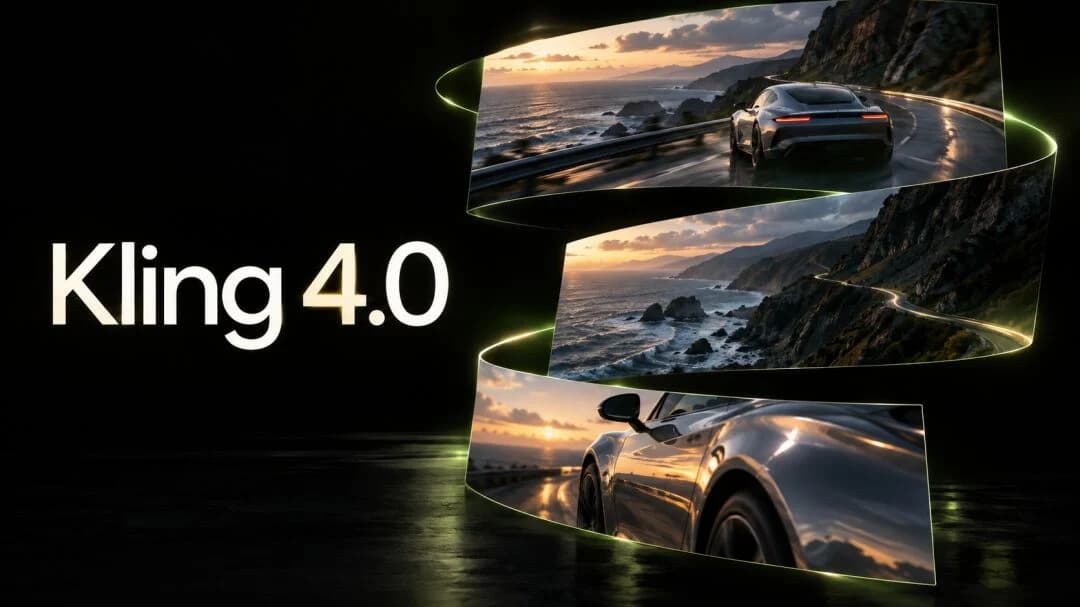
Three Ways to Start Creating with Kling 4.0
Begin with a written scene, a source image, or a set of visual references.
Build a scene from words
Describe what the viewer should notice first, what changes, and where the camera goes. A precise action gives a text-led video brief its structure: a lantern rises from a boat as the camera follows it into the evening sky.
Give a still image a next moment
Use the image to establish the subject and composition, then describe the motion. For a product photograph, that might be a slow camera orbit that reveals the texture while keeping the object at the center of attention.
Connect a set of visual references
Give each reference a purpose: one for the character, another for the location, another for the look of the scene. The reported Omni Reference workflow points toward bringing these directions together in a single video.
Direct Kling 4.0 Videos with More Precision
Use the reported duration, reference, keyframe, and voice tools to shape each scene.
30 seconds to tell the story
Reported generation of up to 30 seconds gives a reveal, camera move, or character action more time to develop. Extension to 60 seconds could carry that scene into its next beat.
Bring your references together
Omni Reference is reported to support up to 15 elements. Combine a subject, setting, and visual style in your creative brief instead of describing every detail from scratch.
Direct the moments between frames
Up to 10 keyframes are reported, offering more points to guide the composition as a scene develops. Plan an opening, a turning point, and a final frame with deliberate visual continuity.
Give characters a voice
The reports mention up to three voice references and multilingual audio-video generation. This points toward dialogue-led scenes with more control over how different characters sound; supported languages and voice controls are still to be confirmed.
Explore a longer narrative
An experimental 120-second, 1080p mode is reported with forward and backward extension. This could provide more room for connected action and longer camera journeys, beyond the standard clip workflow.
Develop images alongside video
The separate Kling Image 4.0 report describes 1-9 images per generation at up to 4K. That could help develop character looks, locations, and compositions before turning a concept into a scene. Video is reported at 1080p; 4K HDR video and 8K image claims remain unconfirmed.
Explore What Kling 4.0 Video Can Look Like
Use these cinematic and vertical scenes as references for movement, lighting, framing, and atmosphere.
Cinematic scenes
Wide-frame ideas for stories, campaigns, and cinematic sequences.
Sunrise over the vineyards
A hot air balloon floats above vineyard terraces in the morning mist.
Motion in the wild
Wild horses cross a river through drifting mist and soft morning light.
A journey along the cliffs
A funicular travels along a steep railway against a dramatic mountain backdrop.
A cinematic golden hour
A vintage biplane sits against a sunset sky, with warm light across the airfield.
Everyday action, vivid detail
Flames rise from a street-food wok in the atmosphere of a busy night market.
A stadium in motion
A marching band fills the field with movement and color.
Vertical stories
Portrait compositions made for mobile-first storytelling.
Made by hand
A tailor sews fabric with careful, close-up movement.
Small details, big stories
A watchmaker works on the intricate details of a timepiece.
Wildlife up close
A snow leopard stands among the rocks of a mountain landscape.
The color of autumn
Leaves catch the light across an autumn forest.
Light and architecture
Sunlight falls across a wooden staircase.
A moment in the studio
A florist wraps a bouquet by hand.
Create Product Films, Character Scenes, and Campaign Visuals
See where longer Kling 4.0 clips and richer reference control can support real creative work.
Product films with a complete reveal
Move from the full silhouette to a close-up of a material, feature, or finish. A longer scene gives the product a beginning, a moment of discovery, and a clear final frame.
Character scenes with a story beat
Build around a glance, an action, or a short exchange. Reference-led planning connects the character's appearance, surroundings, and voice into one creative direction.
Cinematic transitions with intention
Plan the opening image, a visual turning point, and the destination. Multi-keyframe direction could help shape transformations and camera journeys around those moments.
Visual concepts for a campaign
Explore variations in setting, lighting, and composition with the reported image model. Use those concepts to establish a visual direction for a series of videos.
Kling 4.0 for Different Creative Teams
A useful direction for projects that depend on pacing, continuity, and a clear visual brief.
Product and brand teams
Give a product story room to move from context to detail. Plan a recurring visual identity across different settings, with references for the object, materials, and lighting.
Filmmakers and storytellers
Shape a scene around pacing and an emotional turn. Longer clips and keyframe direction are relevant when the path between the first and final image matters as much as the images themselves.
Character-led creators
Develop a recognizable character across actions and environments. A coordinated set of appearance and voice references gives a series a more consistent creative starting point.
Kling 4.0 vs Kling 3.0
Compare the reported Kling 4.0 upgrades with the current Kling 3.0 workflow.
| Capability | Kling 4.0 reports | Kling 3.0 context |
|---|---|---|
| Single-generation duration | Up to 30 seconds | Up to 15 seconds |
| Longer video | 60-second extension; experimental 120-second mode | Current studio offers short-clip generation |
| Reference control | Up to 15 Omni Reference elements | Reference tools vary by model and mode |
| Scene direction | Up to 10 keyframes reported | Current studio supports multi-shot planning |
| Voice control | Up to 3 voice references reported | Voice and reference features are documented for 3.0 Omni |
The clearest reported change is more room to develop a scene and more inputs to guide it. Final limits depend on the released model and the controls offered by each provider.
Plan a Kling 4.0 Video in Three Steps
Describe the scene, add visual direction, then review and refine the result.
Describe your scene
Write the subject, action, setting, and camera movement. Start with one clear moment, such as a product reveal or a character entering a new environment.
Add references and settings
Upload a source image or supported references to guide the look of your scene. Choose the model, duration, and resolution available in the studio, then review the credit cost.
Generate and refine
Generate your video, review the motion and composition, and adjust the prompt or references for the next version. Download the result when it fits your creative direction.
Kling 4.0 Pricing and Availability
Choose a credit pack or monthly plan for your video projects.
The plans below are XMK credit packages for models currently available in the studio. Kling 4.0 access and generation pricing will be shown when supported.
Choose the throughput that matches your workflow
Every plan keeps the same focused interface. You only scale output, speed, and capacity.
Base
- 990 credits one time purchase
- $0.010 per credits
- 1 concurrent generations
- Video Models: Lite, Standard, Seedance Pro, Wan 2.5
- Image Modals: Seedream 3.0, Google Nano Banana
- Image & Video upscaling features
Pro
- 3300 credits one time purchase
- $0.009 per credits
- 3 concurrent generations
- Video Models: Lite, Standard, Seedance Pro, Wan 2.5, Veo 3, Veo 3.1, Sora2
- Image Modals: Seedream 3.0, Google Nano Banana
- Image-editing features
- Start & End Frame control
- Wan Animate, Lipsync Studio
- AI Avatar: Audio‑Driven Video GenerationWithout Limits
- Google Veo 3.1
- Google Veo 3.1 Fast
- Google Nano Banana Pro
- Seedream 4.0, 2K, 4K
- Sora 2
- Save 9.39% Today!
Ultimate
- 5700 credits one time purchase
- $0.008 per credits
- 3 concurrent generations
- Video Models: Lite, Standard, Seedance Pro, Wan 2.5, Veo 3, Veo 3.1, Sora2
- Image Modals: Seedream 3.0, Google Nano Banana
- Image-editing features
- Start & End Frame control
- Wan Animate, Lipsync Studio
- AI Avatar: Audio‑Driven Video GenerationWithout Limits
- Google Veo 3.1
- Google Veo 3.1 Fast
- Google Nano Banana Pro
- Seedream 4.0, 2K, 4K
- Sora 2
- Save 12.46% Today!
Creator
- 13000 credits one time purchase
- $0.007 per credits
- 4 concurrent generations
- Video Models: Lite, Standard, Seedance Pro, Wan 2.5, Veo 3, Veo 3.1, Sora2
- Image Modals: Seedream 3.0, Google Nano Banana
- Image-editing features
- Start & End Frame control
- Wan Animate, Lipsync Studio
- AI Avatar: Audio‑Driven Video GenerationWithout Limits
- Google Veo 3.1
- Google Veo 3.1 Fast
- Google Nano Banana Pro
- Seedream 4.0, 2K, 4K
- Sora 2
- Save 23.15% Today!
Your order will be processed by XMK in accordance with the laws of Hong Kong.
Kling 4.0 FAQ
Key details about Kling 4.0 video length, references, resolution, and availability.
What is Kling 4.0?
Kling 4.0 is the latest Kling model. Its reported focus is longer video generation, Omni Reference, multi-keyframe direction, and voice references. Final specifications remain unconfirmed.
How long can Kling 4.0 videos be?
The reports describe up to 30 seconds per generation and extension to 60 seconds. A separate experimental mode is reported to support 120-second, 1080p video with forward and backward extension.
How many references does Kling 4.0 support?
Omni Reference is reported with up to 15 elements, including support for up to three voice references. The exact combination of file types and how they count toward the total still needs confirmation.
Does Kling 4.0 support 4K video?
Video is reported at up to 1080p. The separate Kling Image 4.0 report mentions up to 4K images; native 4K HDR video and possible 8K image output remain unconfirmed.
When will Kling 4.0 be available, and is it free?
We have not verified an official release date, final pricing, or a free allowance for Kling 4.0. Check the official release history for announcements and the selected provider for access details.
Which model does the video studio on this page use?
The studio currently offers Kling 3.0 and Kling O3, with Kling 3.0 selected by default. Its model selector, settings, and credit cost describe the generation you are using. Kling 4.0 is not connected to this studio yet.
Start Planning Your Next Kling Video
Explore how Kling 4.0 could support your next product film, character scene, or visual concept.