
Unified Multimodal Understanding
Feed MiniMax H3 text, stills, audio, and video in a single flow. References reinforce the same scene so style, motion, and tone do not drift into separate tracks.
Seedance 2.5 just landed — longer 1080P clips with richer multimodal references.
Turn mixed references into finished motion. Combine prompts with images, audio, and video so understanding, generation, and edits stay in the same creative loop.
Click to upload assets
Max 12 files (img ≤9, vid ≤3, audio ≤3)
Overview
MiniMax H3 is a multimodal generation model that reads creative context from text, images, audio, and video, then produces and adjusts video from that shared understanding.
It fits projects where visuals, motion, and sound need to stay connected. Inputs are treated as one brief instead of disconnected steps across separate tools.
Start from a script, a still, a sound bed, a reference clip, or any mix that clarifies the scene. Those materials stay available while you iterate on the output.
Because generation and refinement share the same multimodal context, you can request changes to a look, a beat, or a story beat without restarting the whole concept from scratch.
Key features
MiniMax H3 holds your brief, references, and revisions in one multimodal path—from first draft to a clip you can ship or hand off.
Feed MiniMax H3 text, stills, audio, and video in a single flow. References reinforce the same scene so style, motion, and tone do not drift into separate tracks.
Call out the shot, sound, or narrative detail that needs another pass. MiniMax H3 applies focused edits while preserving the broader creative direction you already set.
Treat sound as an active input. Timing, atmosphere, and dialogue cues can guide generation alongside imagery, which helps clips feel intentional rather than silent afterthoughts.
Use one model for film tests, brand spots, product stories, game concepts, and more. MiniMax H3 stays flexible when your brief spans multiple media types.
In action
Browse MiniMax H3 examples—story beats, product motion, and world-building clips shaped from multimodal direction.
How it works
Assemble the references that define your idea, generate with MiniMax H3, then download or keep refining until the clip matches the brief.
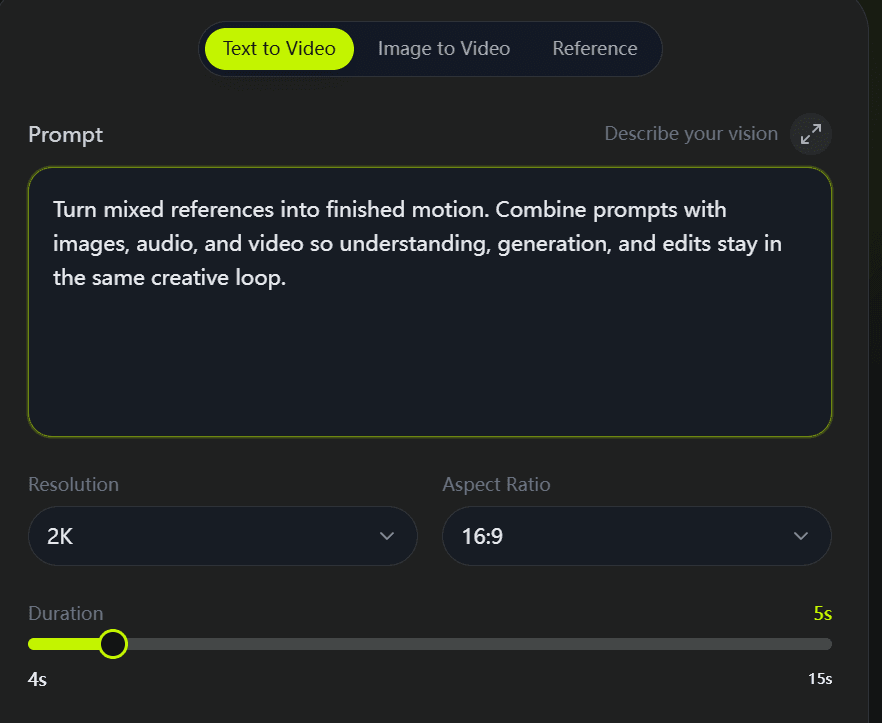
Write the prompt and upload the text cues, images, audio, or video clips that matter. Explain how each asset relates so MiniMax H3 receives one clear creative brief.
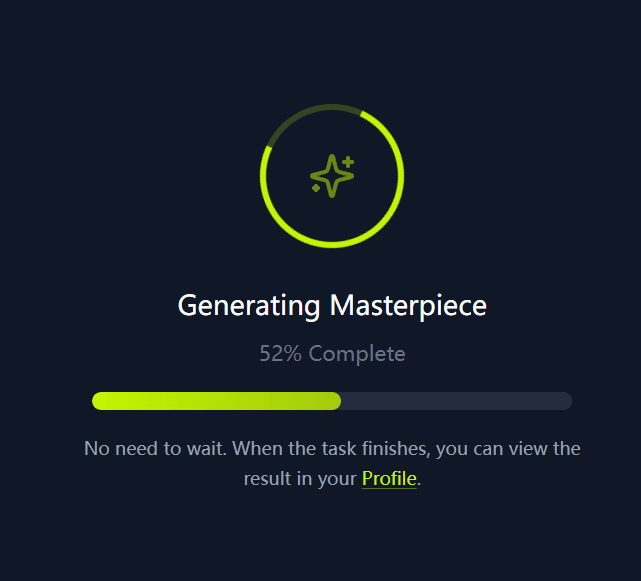
Create the first cut in the workspace. Check whether motion, picture, and sound land together before you decide what to change next.
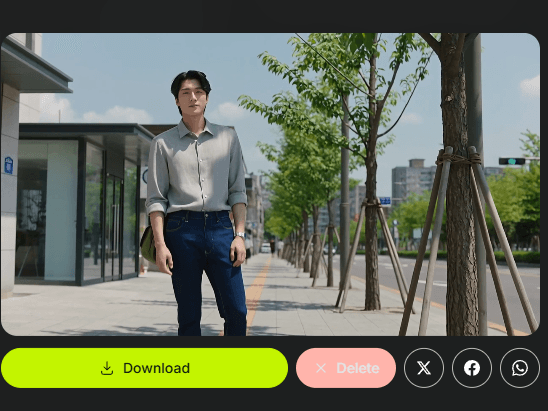
Download the result when it fits, share it with collaborators, or send targeted feedback for another pass without rebuilding the whole setup.
Each finished clip comes from one multimodal pass—inputs, generation, and edits staying connected.
Use cases
MiniMax H3 fits briefs that need synced visuals, audio, and narrative—from early exploration to campaign-ready motion.

Block scenes, mood, camera energy, and sound from a shared brief before a larger shoot. Story teams can validate an idea quickly with MiniMax H3.

Align product look, pacing, and audio under one creative direction. Marketing teams can explore variants and tighten messaging without splitting work across disconnected models.

Turn packaging shots and copy into motion for product pages and launches. MiniMax H3 helps keep product identity, setting, and sound consistent in one presentation.

Prototype characters, spaces, movement, and atmosphere as related pieces of the same world. Useful for trailers, mood films, and visual tests ahead of full production.
Compare
When you evaluate MiniMax H3 against other AI video options, focus on how each model handles shared creative context—not only single-prompt output.
MiniMax H3 is strongest when your brief is multimodal. Compare media support, edit control, and production fit before you commit a workflow.
Why choose
Pick MiniMax H3 when a text prompt alone is not enough and your references should shape one another.
Keep words, stills, audio, and video in the same context so the scene you intend is easier to express than a single text line.
Ask for changes where they matter—look, sound, or story—without treating every revision as a brand-new generation job.
Move concepts toward ads, product films, narrative tests, and game mood pieces with a model that expects mixed creative inputs.
Every plan keeps the same focused interface. You only scale output, speed, and capacity.
Your order will be processed by XMK in accordance with the laws of Hong Kong.
Common questions about MiniMax H3. Need more help? Email us at support@xmk.com
MiniMax H3 is a multimodal AI video model. It uses text, image, audio, and video context together to generate and refine clips.
You can combine written prompts with images, audio, and video references in the creation UI, depending on the mode you select.
Yes. MiniMax H3 supports directed refinement so you can adjust visual, audio, or story elements instead of starting from a blank slate every time.
Creators and teams in film, advertising, branding, ecommerce, gaming, and similar fields who need connected media in one video workflow.
Open MiniMax H3, choose a mode, add your prompt and references, generate, then review the clip and refine with clearer instructions as needed.
Audio is part of the multimodal context. Include sound direction or audio references when timing and atmosphere matter to the result.
MiniMax H3 is built for production-oriented creation. Always review outputs for creative quality, rights, and publishing requirements before release.
Bring prompts, visuals, sound, and reference clips into one direction. Generate, then refine the details that carry your story.
Start with the materials you already have, produce a first cut, and iterate until the motion matches the brief.