If you are exploring how to use Seedance 1.5 Pro to generate high-quality audio-visual AI videos, this guide walks you through a complete creator workflow—from concept design to final cinematic output. Before we begin, you can directly experience the model here:
Seedance 1.5 Pro Experience Page
Seedance 1.5 Pro is designed for creators who need more than random visuals. It generates video and audio natively in one pass, delivering synchronized speech, realistic motion, and cinematic camera behavior. Learning how to use Seedance 1.5 Pro properly will dramatically improve the quality, consistency, and storytelling power of your AI videos.
What Makes Seedance 1.5 Pro Different
Understanding how to use Seedance 1.5 Pro starts with knowing what makes it different from typical AI video generators.
Native Audio-Visual Generation
Unlike traditional tools that generate video first and add audio later, Seedance 1.5 Pro generates video and audio together. This means:
Accurate lip synchronization
Natural facial expressions
Realistic breathing and head movement
Consistent scene-level sound design
This native audio-visual approach makes Seedance 1.5 Pro ideal for storytelling, narration, and dialogue-driven content.
Cinematic Motion & Camera Control
Seedance 1.5 Pro supports advanced camera movements such as:
Dolly-in and dolly-out
Panning and tracking shots
Cinematic framing and composition
When you truly master how to use Seedance 1.5 Pro, you gain creative control over not only what appears on screen, but how the camera moves through the scene.
How to Use Seedance 1.5 Pro: Complete Workflow
This section covers the exact workflow creators use to generate professional audio-visual AI videos.
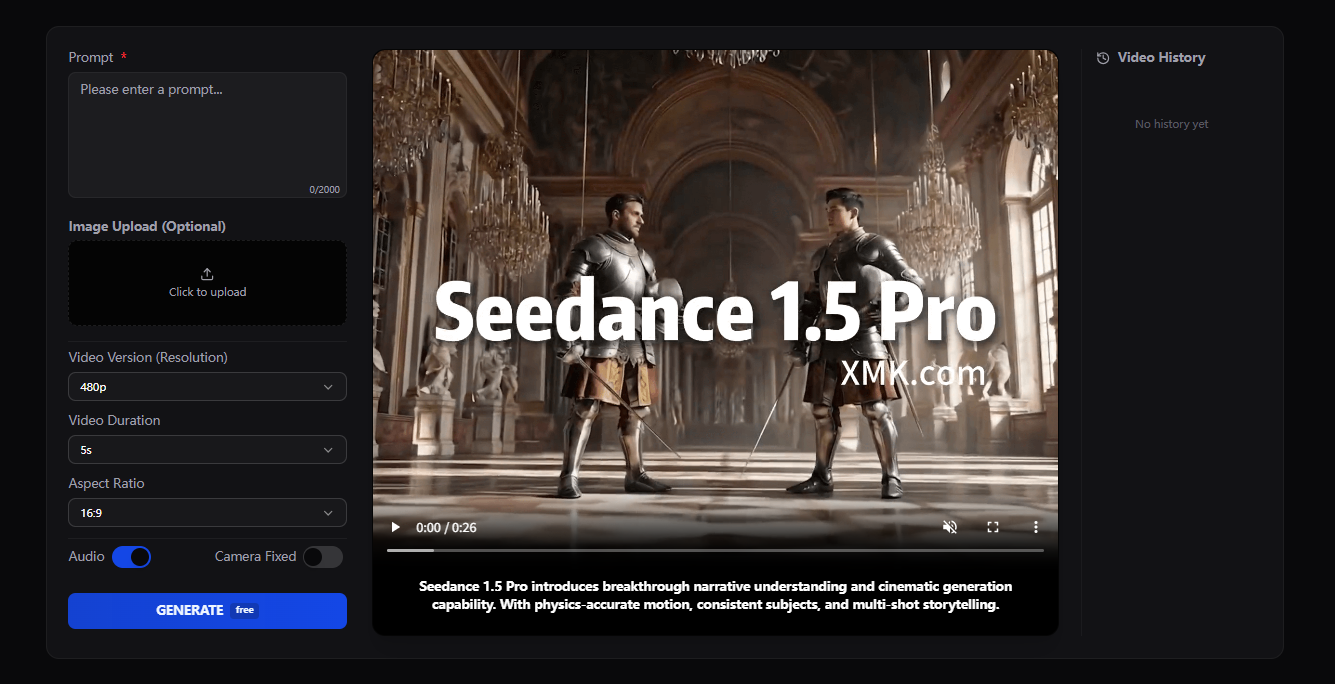
Step 1: Define Your Video Concept
Before opening Seedance 1.5 Pro, define three things:
Scene type (product showcase, story, dialogue, narration, etc.)
Mood and style (cinematic, documentary, commercial, anime, etc.)
Audio intent (voiceover, character dialogue, ambient sound)
Clear creative intent is the foundation of how to use Seedance 1.5 Pro effectively.
Step 2: Prepare Your Prompt
Seedance 1.5 Pro responds best to structured prompts. A good prompt includes:
Scene description
Camera direction
Character appearance
Audio behavior
Example Prompt
A cinematic close-up of a young woman in a futuristic city at night. Soft neon lights reflect on wet streets. The camera slowly pushes forward. She speaks calmly in English, explaining how technology is shaping creative workflows. Natural breathing, realistic lip movement, subtle ambient city sound.
Step 3: Choose Text-to-Video or Image-Guided Mode
When learning how to use Seedance 1.5 Pro, choose the mode based on your goal:
Feature | Text-to-Video | Image-Guided |
|---|---|---|
Best Use | Fully new scenes, abstract concepts | Brand consistency, character preservation |
Control Level | Medium | High |
Typical Use Cases | Storytelling, narration, concepts | Product demos, sequels, series |
Setup Complexity | Low (text only) | Medium (need quality reference image) |
Character Consistency | Variable | Excellent |
Step 4: Generate and Review
After submitting your prompt, Seedance 1.5 Pro produces:
Video frames
Voice and ambient audio
Lip-synchronized speech
Cinematic motion
Review the output for:
Motion stability
Audio clarity
Lip synchronization
Scene composition
This review step is critical to mastering how to use Seedance 1.5 Pro.
Step 5: Refine with Iterative Prompts
Small prompt adjustments can dramatically improve results. Try refining:
Camera speed
Lighting tone
Emotional delivery
Sound design intensity
Iterative refinement is where Seedance 1.5 Pro truly becomes a professional creative tool.
Best Use Cases for Seedance 1.5 Pro
Once you understand how to use Seedance 1.5 Pro, you can apply it across multiple creative domains.
Brand & Product Videos
Create product demos with:
Voice narration
Cinematic camera motion
Clean studio lighting
Storytelling & Short Films
Generate:
Character dialogue scenes
Emotional storytelling sequences
Cinematic trailers
Social Content Creation
Produce vertical or horizontal videos optimized for short-form platforms.
Prompt Templates You Can Reuse
Narrative Scene
A cinematic medium shot of [character description]. Soft natural lighting. The camera slowly tracks forward. The character speaks clearly in [language] about [topic]. Natural lip sync and ambient sound.
Product Showcase
A clean studio scene showcasing [product]. Slow rotating camera movement. Calm professional voiceover describing product features. Clear lip synchronization and minimal background noise.
Educational Explainer
A presenter standing in a modern studio. Medium shot. The presenter explains [topic] clearly with friendly tone. Subtle background music and realistic speech movement.
Final Thoughts
Learning how to use Seedance 1.5 Pro unlocks a new generation of cinematic audio-visual AI content creation. It offers native synchronization, cinematic camera language, and professional-grade motion consistency—making it ideal for storytelling, marketing, education, and social content.
If you are ready to experience its full creative potential, start your workflow on the official experience page:
👉 Explore Seedance 1.5 Pro here