Seedance 2.5 just landed — longer 1080P clips with richer multimodal references.

Try Seedance 2.5

Seedance 2.5 Flash AI Video Generator

Turn a prompt or your own references into 4–30 second clips in 480p or 720p. Preview the whole shot and refine your next take.

Upload*

Click to upload assets

Max 20 files (img ≤20, vid ≤10, audio ≤10)

Resolution

Aspect Ratio

Duration8s
4s30s

Content Policy Notice

Any non-compliant generation will fail. Due to upstream restrictions, real human faces (selfies, portraits, celebrities) and copyrighted content are not supported. Violent and NSFW content is also rejected. Please use illustrations, anime characters, or AI-generated faces instead.

What Is Seedance 2.5 Flash?

Seedance 2.5 Flash is the faster, lower-cost model in the Seedance 2.5 family. Describe a scene or combine image, video, and audio references to guide the look, motion, and timing. Generate a clip, then test a different camera move or reveal with the same references.

  • 4–30 second clips
  • 480p or 720p
  • Up to 20 references
Start generating
A fashion scene unfolds in a meadow of giant mushrooms.

Create and Refine with Seedance 2.5 Flash

Start with a written prompt or use a photo, video clip, or sound cue to guide the shot. Set the framing, resolution, and length before you generate.

Text to video AI for a first take

Select Text to Video and describe what the viewer should see. Give the scene a subject, a single main action, and a final frame. With Seedance 2.5 Flash, you can test whether a close-up or a wide shot makes the idea clearer by running the same scene description with each framing.
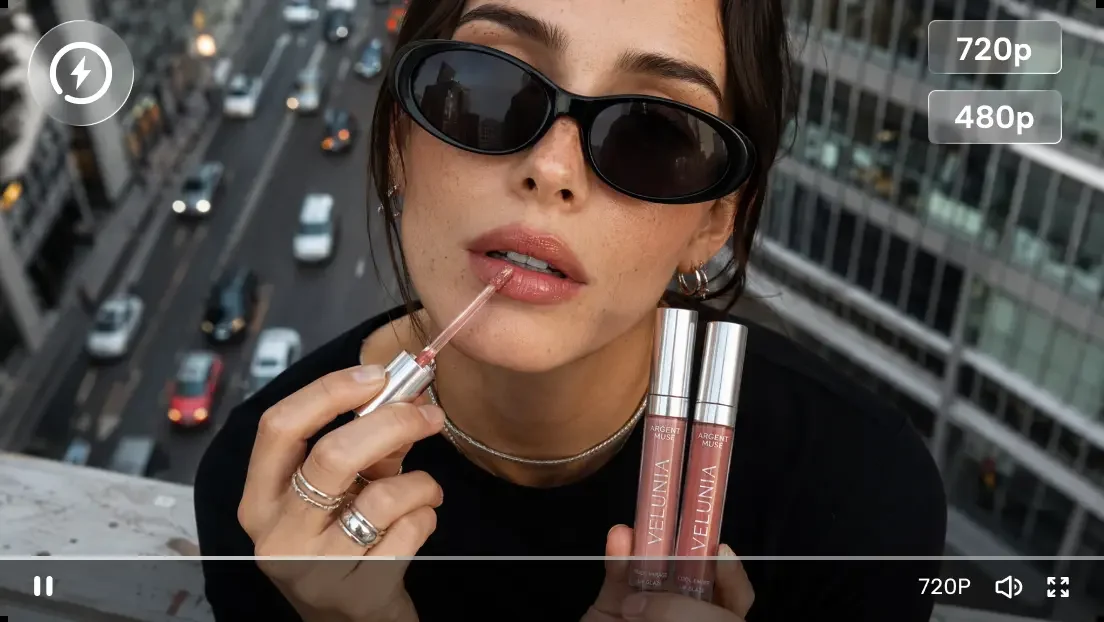
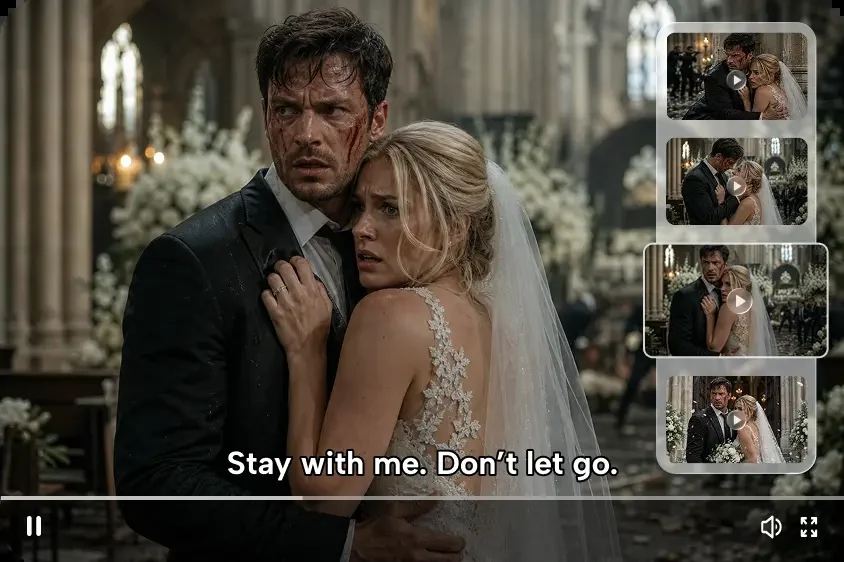
Image to video AI for a product or character

Open Reference Generation and upload an image that shows the object you want to animate. Tell Seedance 2.5 Flash what should move and what should hold its position. For a product shot, ask for a slow camera slide while the item stays centered and its front remains visible.

Video and audio references for motion and timing

Combine images, videos, and audio in a request, with up to 20 reference files in total on XMK. Give each reference a job in the prompt. Use a video clip to illustrate the camera move and an audio clip to show where a movement should land. Watch the action and listen for the cue together.

A beauty clip preview with 720p and 480p output labels

480p and 720p output for different review stages

Seedance 2.5 Flash offers 480p and 720p. Use the same resolution when comparing several takes so you can judge the change you made to the prompt. When a small visual detail determines whether a take works, choose 720p and check that detail across the whole clip.

What Can You Create with Seedance 2.5 Flash?

Try a product reveal, a vertical ad, a moving storyboard, or a short scene. Use the first take to see whether the action reads clearly on screen.

Product reveal

Upload a product photo and ask for a slow camera move from the packaging to the item. End on a close-up that gives viewers time to see one important detail.

Vertical ad concept

Frame a running shoe for a phone screen. Try a version that opens on the sole and one that opens on the whole shoe. Check which version makes the product clear sooner.

Moving storyboard

Turn a drawn hallway panel into a shot that follows the subject to a doorway. Use the result to decide when the camera should stop and where the subject should land in frame.

Short narrative beat

Prompt a character to notice a light in an empty shop and pause at the window. Use the last frame to show the reaction you want the next shot to pick up.

Creations

Seedance 2.5 Flash Video Examples

Explore examples from the Seedance 2.5 gallery. Open a clip to see its prompt or recreate it with Flash.

Who Uses Seedance 2.5 Flash?

Preview a scene for a short series, compare ad concepts, or share a storyboard in motion with a client.

A short drama scene with alternate frames beside the main shot

Creators planning a short series

If you make episodic videos, test the opening of a scene or the beat that ends an episode. See where the character is looking when the shot ends so you can plan the first frame of the next clip.

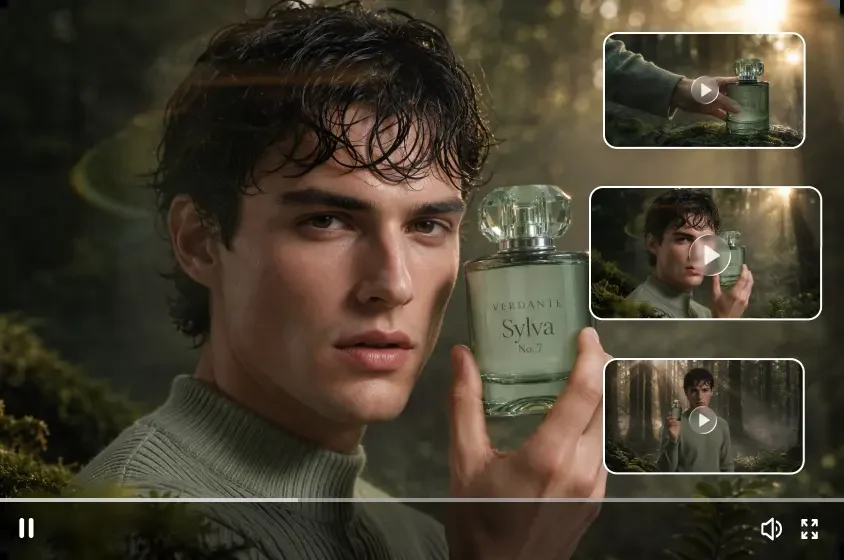
A product advertisement with alternate takes of a fragrance shot

Marketers testing a product message

Use Seedance 2.5 Flash to make separate previews for two messages. A kitchen product might need a close-up of how it works or a wider shot showing it in use. Give each preview one message and review which one reads on a phone.

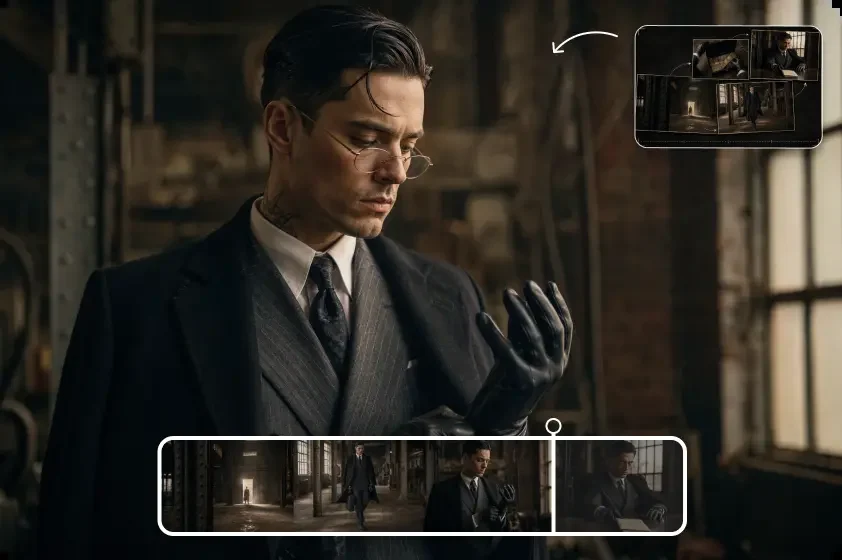
A storyboard sequence showing a suited character in a dim room

Agencies and storyboard artists preparing reviews

Share a clip with your client to review blocking, framing, and timing. Ask for feedback on one decision, such as when the product should enter the frame. Save the selected clip with its prompt and references for production.

Seedance 2.5 Flash vs Seedance 2.5

Both models make clips up to 30 seconds. Compare resolution, reference limits, and credit rates on XMK.

On XMKSeedance 2.5 FlashSeedance 2.5
Output resolution480p or 720p480p, 720p, 1080p, or 4K
Maximum clip length30 seconds30 seconds
Combined reference filesUp to 20Up to 50
480p credit rate10 credits/s20 credits/s
720p credit rate30 credits/s40 credits/s

Test a shot with Flash

Try a new camera move or product reveal at 480p or 720p.

Create with Flash

Finish at a higher resolution

Choose the standard model for 1080p or 4K output or a shot with more than 20 references.

Open Seedance 2.5

Ways to Work Faster with Seedance 2.5 Flash

Make each preview answer one question about the shot, then use what you learn to plan the next take.

Check the cost before you generate

See the credit estimate in the studio as you change the duration, resolution, or reference videos.

Compare complete takes

Watch each clip from start to finish and compare what the viewer sees at the same point in each take. Look for changes in framing, pacing, and how long the main action stays visible.

Revise one decision at a time

Keep the camera move that worked and adjust the light or final frame. Share both takes so your reviewer can see what changed.

How it works

How to Use Seedance 2.5 Flash

Write the scene, add any references you need, then generate and review the full clip.

01

Write the scene prompt

Open the generator with Seedance 2.5 Flash selected. Describe the subject, what happens, how the camera moves, and what should be visible in the final frame.

02

Add your reference materials

Choose Reference Generation to add images, video, or audio. Tell Flash which file guides the look, motion, or timing. Use Text to Video if you’re starting with a prompt alone.

03

Generate, review, and refine

Set the resolution, aspect ratio, and duration. For an eligible trial, choose 480p and 10 seconds. Check the credit estimate, generate the clip, and review it before deciding what to change.

Pricing Matrix

Seedance 2.5 Flash Pricing

Flash costs 10 credits per billable second at 480p or 30 at 720p. Check the estimate and trial eligibility in the generator, or choose an XMK credit plan below.

Plan

Base

$9.9
  • 990 credits one time purchase
  • $0.010 per credits
  • 1 concurrent generations
  • Video Models: Lite, Standard, Seedance Pro, Wan 2.5
  • Image Modals: Seedream 3.0, Google Nano Banana
  • Image & Video upscaling features
Plan

Pro

$29.9
  • 3300 credits one time purchase
  • $0.009 per credits
  • 3 concurrent generations
  • Video Models: Lite, Standard, Seedance Pro, Wan 2.5, Veo 3, Veo 3.1, Sora2
  • Image Modals: Seedream 3.0, Google Nano Banana
  • Image-editing features
  • Start & End Frame control
  • Wan Animate, Lipsync Studio
  • AI Avatar: Audio‑Driven Video GenerationWithout Limits
  • Google Veo 3.1
  • Google Veo 3.1 Fast
  • Google Nano Banana Pro
  • Seedream 4.0, 2K, 4K
  • Sora 2
  • Save 9.39% Today!
Most Popular
Plan

Ultimate

$49.9
  • 5700 credits one time purchase
  • $0.008 per credits
  • 3 concurrent generations
  • Video Models: Lite, Standard, Seedance Pro, Wan 2.5, Veo 3, Veo 3.1, Sora2
  • Image Modals: Seedream 3.0, Google Nano Banana
  • Image-editing features
  • Start & End Frame control
  • Wan Animate, Lipsync Studio
  • AI Avatar: Audio‑Driven Video GenerationWithout Limits
  • Google Veo 3.1
  • Google Veo 3.1 Fast
  • Google Nano Banana Pro
  • Seedream 4.0, 2K, 4K
  • Sora 2
  • Save 12.46% Today!
Plan

Creator

$99.9
  • 13000 credits one time purchase
  • $0.007 per credits
  • 4 concurrent generations
  • Video Models: Lite, Standard, Seedance Pro, Wan 2.5, Veo 3, Veo 3.1, Sora2
  • Image Modals: Seedream 3.0, Google Nano Banana
  • Image-editing features
  • Start & End Frame control
  • Wan Animate, Lipsync Studio
  • AI Avatar: Audio‑Driven Video GenerationWithout Limits
  • Google Veo 3.1
  • Google Veo 3.1 Fast
  • Google Nano Banana Pro
  • Seedream 4.0, 2K, 4K
  • Sora 2
  • Save 23.15% Today!
7-Day Refund
Money-back guarantee
Secure Payment
Powered by Stripe
24/7 Support
Always here to help

Your order will be processed by XMK in accordance with the laws of Hong Kong.

Seedance 2.5 Flash FAQ

Quick answers about using Flash on XMK.

What is Seedance 2.5 Flash?

Seedance 2.5 Flash is the speed-focused model in the Seedance 2.5 family, built for generating and refining video previews.

Is Seedance 2.5 Flash available on XMK?

Yes. The generator on this page opens with Flash selected. Start with a prompt or use image, video, and audio references.

How does Flash compare with Seedance 2.5?

Flash makes 4–30 second clips with up to 20 references. It costs 10 credits per billable second at 480p and 30 at 720p. Standard Seedance 2.5 also offers 1080p and 4K and accepts up to 50 references.

How do I make a video with Seedance 2.5 Flash?

Write a prompt or add media in Reference Generation, then choose your output settings and generate. Eligible new users can try a 10-second clip at 480p with a voucher.

What can I use Seedance 2.5 Flash for?

Use Flash to preview a product reveal, test a camera move, or compare takes before choosing a direction.

How can I get better results with Flash?

Describe the subject, action, and final frame. Review the whole clip and change one thing at a time so you can see what made the difference.

Can I still use standard Seedance 2.5?

Yes. Both models are available in the XMK creation panel, and you can switch between them in the model picker.

Make Your First Video with Seedance 2.5 Flash

Pick a product, a character, or a camera move. Describe how the shot opens and what you want to see in the final frame.